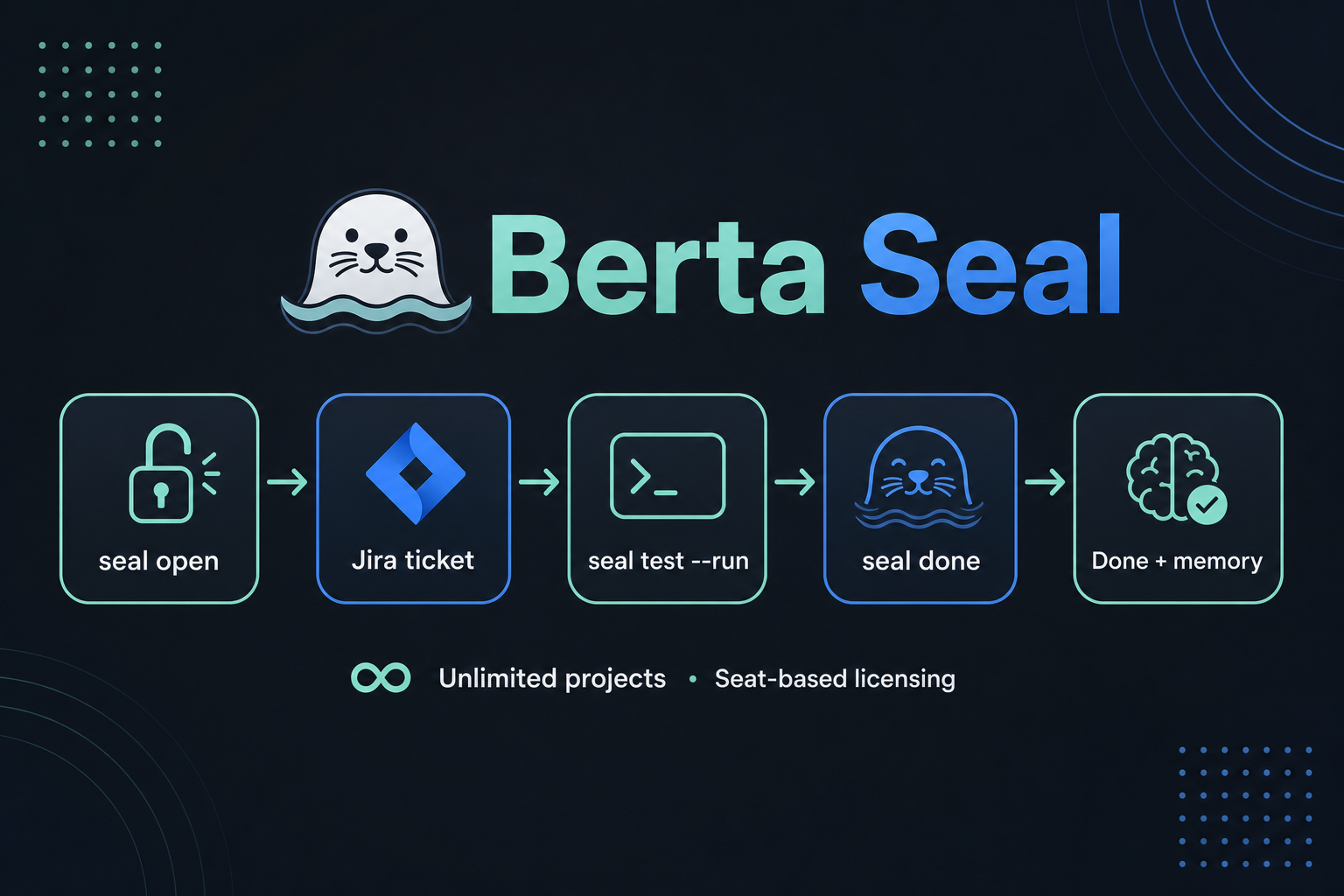
Your agents work across Orchestra, client repos, and any programme you register. Berta Seal runs the full
DevOps cycle: create the Jira ticket when work starts, save to Orchestra memory
when it ships, and transition the ticket to Done — same ritual everywhere.
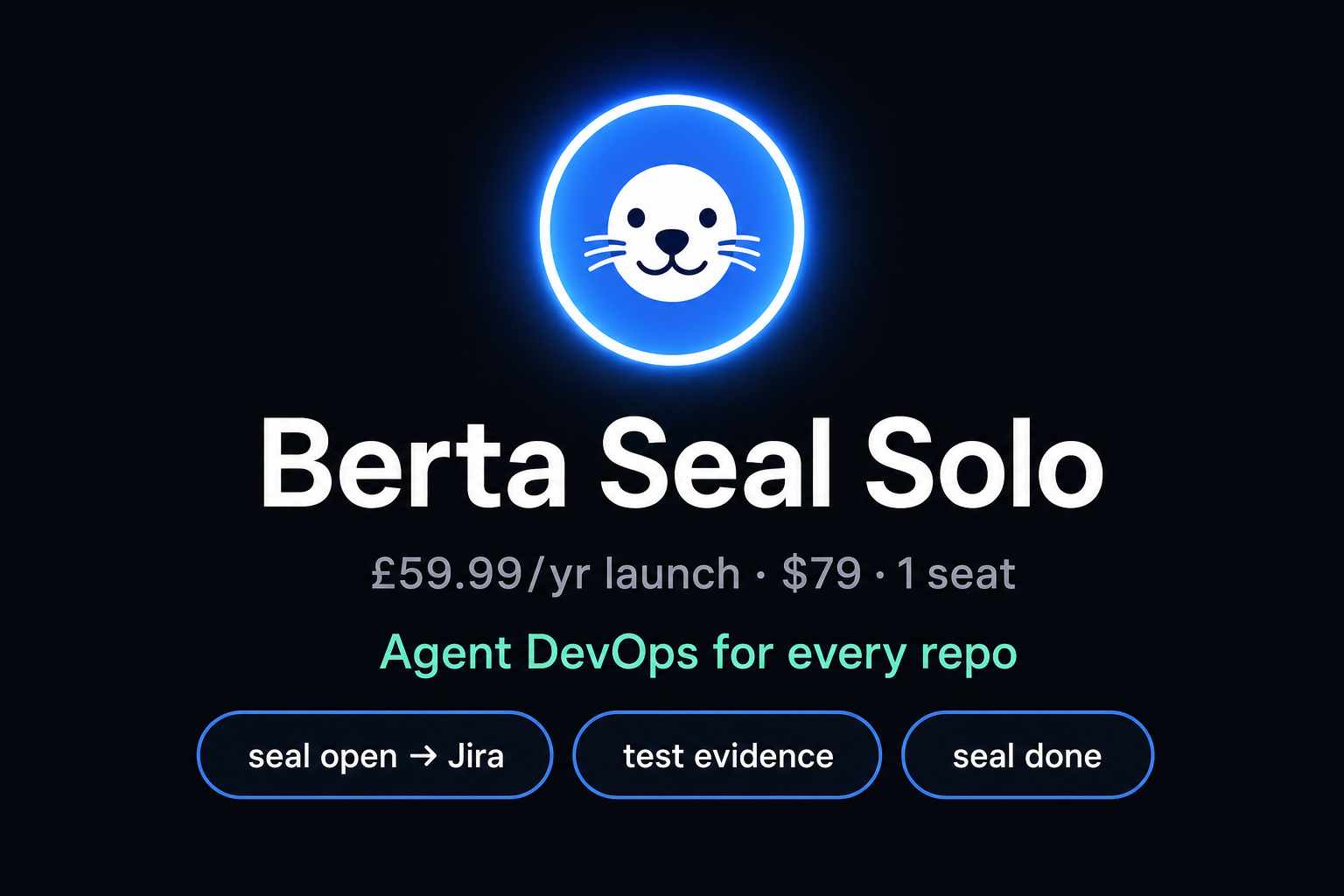
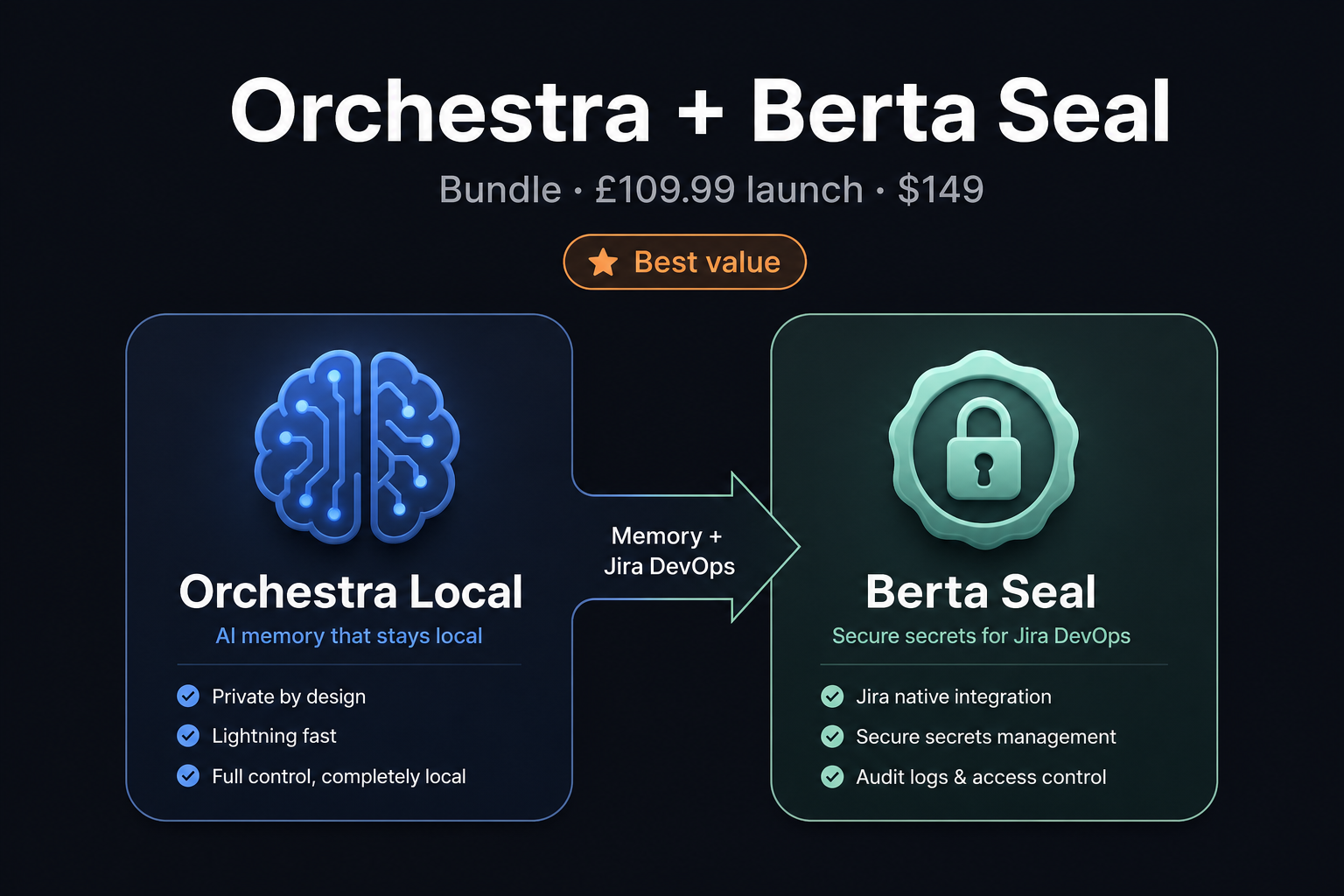
Launch until 31 July 2026 · Solo $79/yr · Bundle with Orchestra Local $149 (memory + Jira DevOps) · Requires Jira Berta
🎼 Orchestra
Done: ORCH-201 — Electron 0.7.1 ships Berta Seal bundled; Seal ring icon shortcut
Jira: ORCH-199 ✓ Done · Memory: agent-seal/…
What it does
OPEN → WORK → DONE
Berta Seal is a CLI plus a Cursor rule. Agents open a ticket at the start, work, then close
it when they finish. You get Jira accountability and searchable memory across every programme.
seal open→ORCH-XX created→agent works→seal done→Jira DoneOrchestra memory
Creates Jira tickets
seal open "user request" opens an ORCH issue via Jira Berta — Task, Story, or Bug — and sets JIRA_ISSUE_KEY automatically.
Closes them when done
seal done "outcome" adds a completion comment, transitions the ticket to Done, and clears the active session.
Saves to Orchestra
Every done writes an agent-seal memory entry — searchable across all programmes: "what shipped last week?"
What it is not
DevOps without the enterprise bloat
Not Jira project admin
Seal uses your existing Jira project (e.g. ORCH). It does not provision new Jira sites or backlogs — tickets only.
Not a test runner
Agents still run your project's tests. Seal handles ticket lifecycle and memory — the accountability layer.
Not another chat app
It orchestrates Orchestra memory and Jira Berta — the tools you already run locally.
Compatible tools
Seal + Orchestra — who works with what
Berta Seal
Jira tickets and test evidence — CLI workflow for your agents.
Shared memory — browser add-on, editor add-on, and agent memory.
ChatGPTCodexClaudeCursorGeminiNotebookLM40+ web tools
Full lists on Orchestra and
Seal — no per-tool fees; new integrations ship free.
Install
Get Berta Seal running
You need Node.js 22+ and Orchestra running locally for memory saves
(or use --no-memory for Jira-only mode). Install once; use in every repo.
Node.js 22+node -v — LTS from nodejs.org
Orchestra (memory)Local server on http://localhost:4317
Jira Berta (tickets)JIRA_BERTA_ROOT — open and close ORCH issues
Cursor (recommended)Agent rule installed by seal init
1
Get the files
Orchestra customers: Berta Seal ships inside your Orchestra install at
products/berta-seal/ (git/dev) or as BertaSeal-package.zip on your Polar order.
Bundle buyers: one checkout — Orchestra v0.7.1 installer includes products/berta-seal, BertaSeal-package.zip, and a desktop shortcut with the Seal favicon.
Standalone Seal: copy products/berta-seal from your Orchestra repo, or download the Seal zip from your order page.
# Example: Orchestra repo on Windows
cd D:\Orchestra
node products/berta-seal/bin/seal.mjs version
2
Start Orchestra (for memory)
Orchestra must be reachable at the URL in your config (default localhost:4317).
# From your Orchestra folder
cd D:\Orchestra
npm run dev

# Verify in another terminal
curl http://localhost:4317/api/health
3
Initialize Seal (one time)
Creates %USERPROFILE%\.berta-seal\programmes.json and installs the Cursor agent rule in your project.
node D:\Orchestra\products\berta-seal\bin\seal.mjs init

# Or target a specific repo
node D:\Orchestra\products\berta-seal\bin\seal.mjs init --target D:\YourRepo
Edit ~/.berta-seal/programmes.json to add your repo paths and labels.
4
Run your first cycle
# 1 — Open ticket when user asks for work
node D:\Orchestra\products\berta-seal\bin\seal.mjs open "Add consensus file uploads"

# 2 — Optional mid-session progress
node D:\Orchestra\products\berta-seal\bin\seal.mjs "Upload handler implemented; tests green"

# 3 — Close ticket + memory when done
node D:\Orchestra\products\berta-seal\bin\seal.mjs done "Shipped consensus file uploads in API and UI"

# Shortcut from Orchestra repo
npm run seal -- open "user request"
npm run seal -- done "what shipped"
5
Health check
node D:\Orchestra\products\berta-seal\bin\seal.mjs health
node D:\Orchestra\products\berta-seal\bin\seal.mjs list
Expect Orchestra ✓, programme detected from cwd, and your three programmes listed.
Cursor agents
Agents run the full cycle
Any agent that can run shell commands works today. More IDEs are in active testing — delivered as free upgrades to existing customers.
What agents do
Start:seal open "user request" — creates ORCH-XX
Work: code, tests, commits prefixed with the issue key
Copy this prompt for an LLM agent to set up Seal on a new machine
You are setting up Berta Seal on my Windows machine.

Goals:
1. Verify Node.js 22+ is installed.
2. Confirm Orchestra runs at http://localhost:4317 (npm run dev in D:\Orchestra).
3. Confirm Jira Berta at D:\mix\jira-berta (jira-berta ledger --limit 1).
4. Run: node D:\Orchestra\products\berta-seal\bin\seal.mjs init --target <my project root>
5. Edit %USERPROFILE%\.berta-seal\programmes.json — add my repo paths.
6. Run seal health and fix any failures.
7. Test full cycle:
   - seal open "Test ticket from agent setup"
   - seal done "Verified Seal open/done cycle works"
8. Confirm .cursor/rules/seal.mdc exists in my project.

Rules:
- Every session: open ticket first, done when finished.
- Never call Jira REST directly — only via Seal / Jira Berta.
- Paste delivery cards when done.

Docs: https://orchestra.berta.one/berta-seal.html
Configuration
Programme registry
Seal detects which programme you're in by longest matching path prefix. Override per-repo with
programmes.local.json in the project root.
ORCHESTRA_URL — memory API (default localhost:4317)
JIRA_BERTA_ROOT — path to jira-berta CLI
JIRA_ISSUE_KEY — optional stamp target
BERTA_SEAL_HOME — config dir (default ~/.berta-seal)
CLI commands & flags
seal open "request" — create Jira ticket
seal done "outcome" — close Done + memory
--type Task|Story|Bug — issue type for open
--failed — leave ticket open on done
--no-memory / --no-jira — skip steps
--cwd path — programme detection path
Pricing
Standalone product — works with Orchestra
All prices in USD. Checkout on Polar is USD. Launch until 31 July 2026.
Launch offer — until 31 July 2026.
Standard pricing from 1 August 2026.
Seal (standalone): Solo $79/yr → $149/yr standard · Team $49/mo → $79/mo standard.
Orchestra:Local $79 / Cloud $15 / Cloud+DB $24 on the same schedule.
Free upgrades.
More IDEs and agents are in active testing. New integrations ship to existing customers at no extra cost.
Includes Orchestra Local (Orchestra-Setup v0.7.1) with Berta Seal built in + Seal Solo license. Look for the Berta Seal Setup shortcut (ring icon, not the Orchestra icon).
Questions
FAQ
Will new IDE support cost extra?
No. More IDEs are in testing. Existing customers receive new integrations as free upgrades — no surcharge.
Is launch pricing permanent?
No. Solo launch is $79/yr until 31 July 2026 (standard $149/yr from 1 Aug). The Orchestra + Seal bundle is $149 during launch (standard $279). Buy before the deadline to lock in launch rates.
Do I need Orchestra?
Yes for memory on seal done. Use --no-memory for Jira-only mode if Orchestra is temporarily down.
Do I need Jira?
For the full DevOps cycle — yes. Install Jira Berta and point JIRA_BERTA_ROOT at it. Use --no-jira for memory-only mode.
Will it create and close Jira tickets?
Yes.seal open creates a ticket in your configured project (e.g. ORCH). seal done transitions it to Done. It does not provision new Jira sites — only issues in projects you already have.
How do I search past seals?
In Orchestra, search for agent-seal or keywords from the summary. Seals are tagged with programme and timestamp.
Can I use it on macOS or Linux?
Yes. Paths in programmes.json use your OS paths. The CLI is plain Node.js — no Windows-only dependencies.
What about Claude Code without Cursor?
Run seal open / seal done manually or add to your agent instructions. The Cursor rule automates the cycle in Cursor Agent mode.
Tickets opened. Work shipped. Tickets closed.
Five minutes to install. Every agent session: open → work → done.