Claude Desktop & Cowork included · Orchestra+ bundled until 31 July · v0.8.0
Every AI you use. One memory. Real reuse.
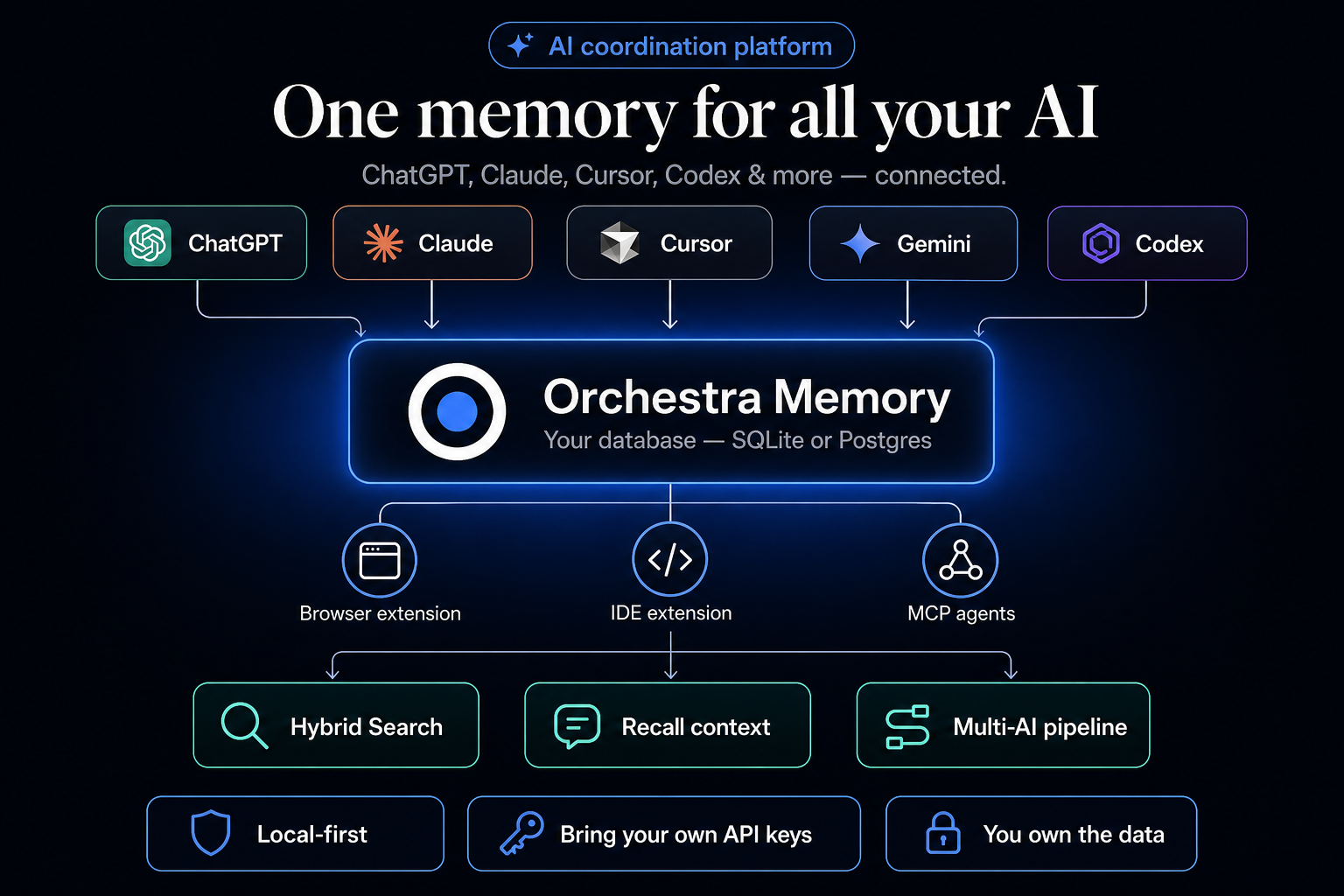
ChatGPT doesn't know what Claude said. Codex can't see your Cursor session. Orchestra
gathers chats, code, and design work into one memory you own — then
inserts full context back into any chat with one click.
Agents check the corpus first, then go outside — memory search runs
automatically before web research or reinventing prior decisions. You don't have to ask.
Claude Desktop, Cowork, Cursor, and the browser extension are included
in every license — same database, same search, same MCP tools.
Orchestra+ adds Model Arena, optional routing, and a dashboard that
shows when memory was actually reused — not invented dollar savings from stored chats alone.
Swarm Review, Skills, Cookbook, and Deep Research ship with every Orchestra license.
No inference markup. Your API keys stay in your environment — never in our database.
Orchestra+ included until 31 July 2026 — grandfathered forever on your license.
See plans →
The copy-paste problem
You ask ChatGPT for code, Claude for a review, Gemini for research — then manually shuttle context between them.
Memory locked in silos
Each tool only remembers inside its own walls. Last month's breakthrough is trapped in an old chat thread.
Orchestra sits underneath
One memory layer. Every conversation, note, and file indexed together — searchable, linkable, yours. Agents check this corpus first, then go outside for gaps.
How it works
Think of it as a shared notebook for all your AI
You keep using the tools you love. Orchestra quietly saves what matters and connects
the dots — without making you switch apps or learn a new chat interface.
When an agent starts work, it searches Orchestra memory first, then
goes outside only for what the corpus doesn't already know.
ChatGPT · CodexClaude · Claude CodeGeminiCursor · VS Codev0 · Figma · +40 more
Saves & syncs automatically
Orchestra MemoryYour conversations, code, docs — on your machine or your database
Any model can read & contribute
Search across everythingOpen the original threadRun multi-model workflowsExport & backup
1
Capture
Browser extension auto-syncs 40+ sites (ChatGPT, DeepSeek, Gemini, Claude.ai). Cursor auto-ingest hook + MCP. Claude Desktop memory_stats via extension.
2
Store
Everything lands in one database on your laptop — or Postgres you control in the cloud.
3
Search
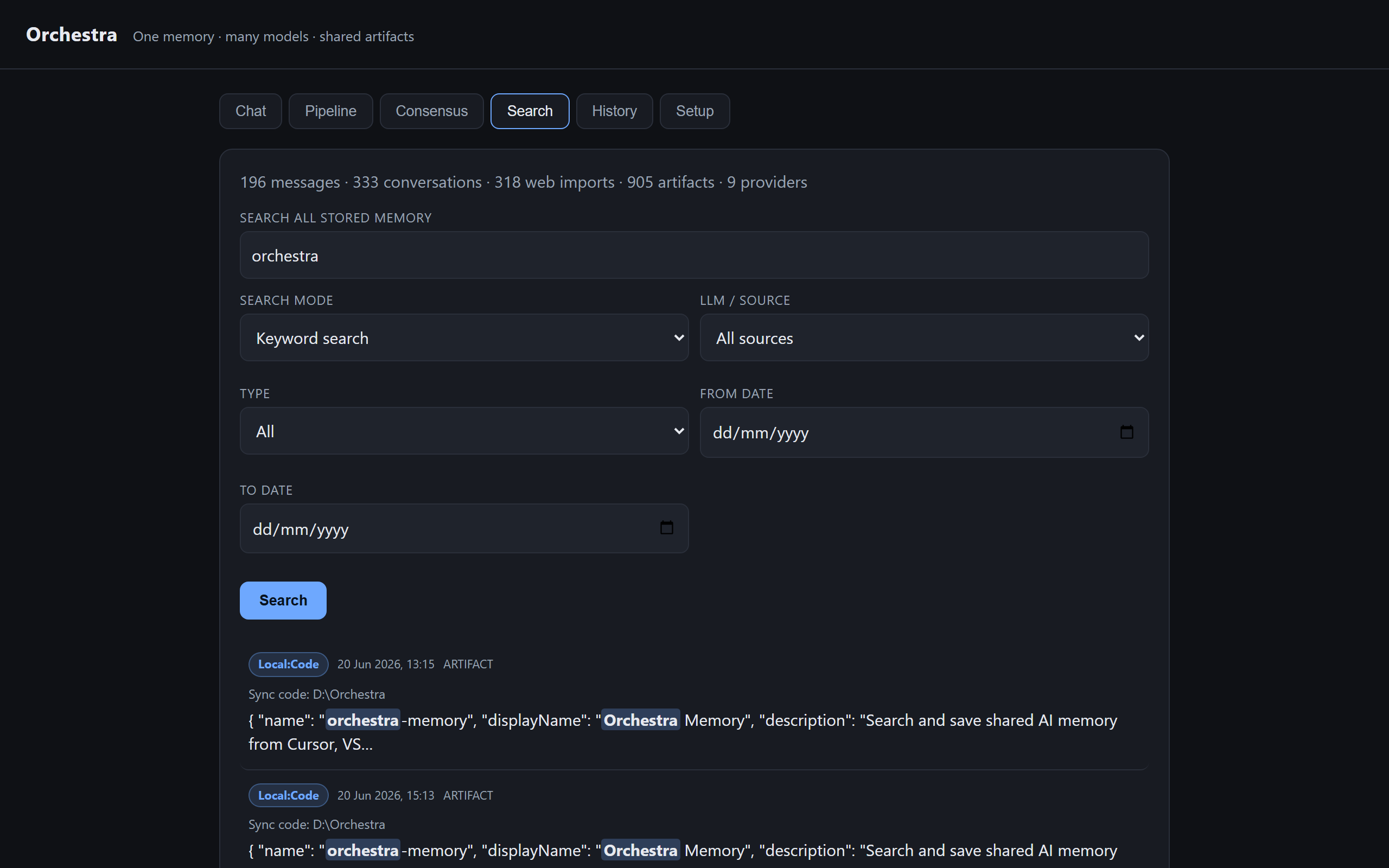
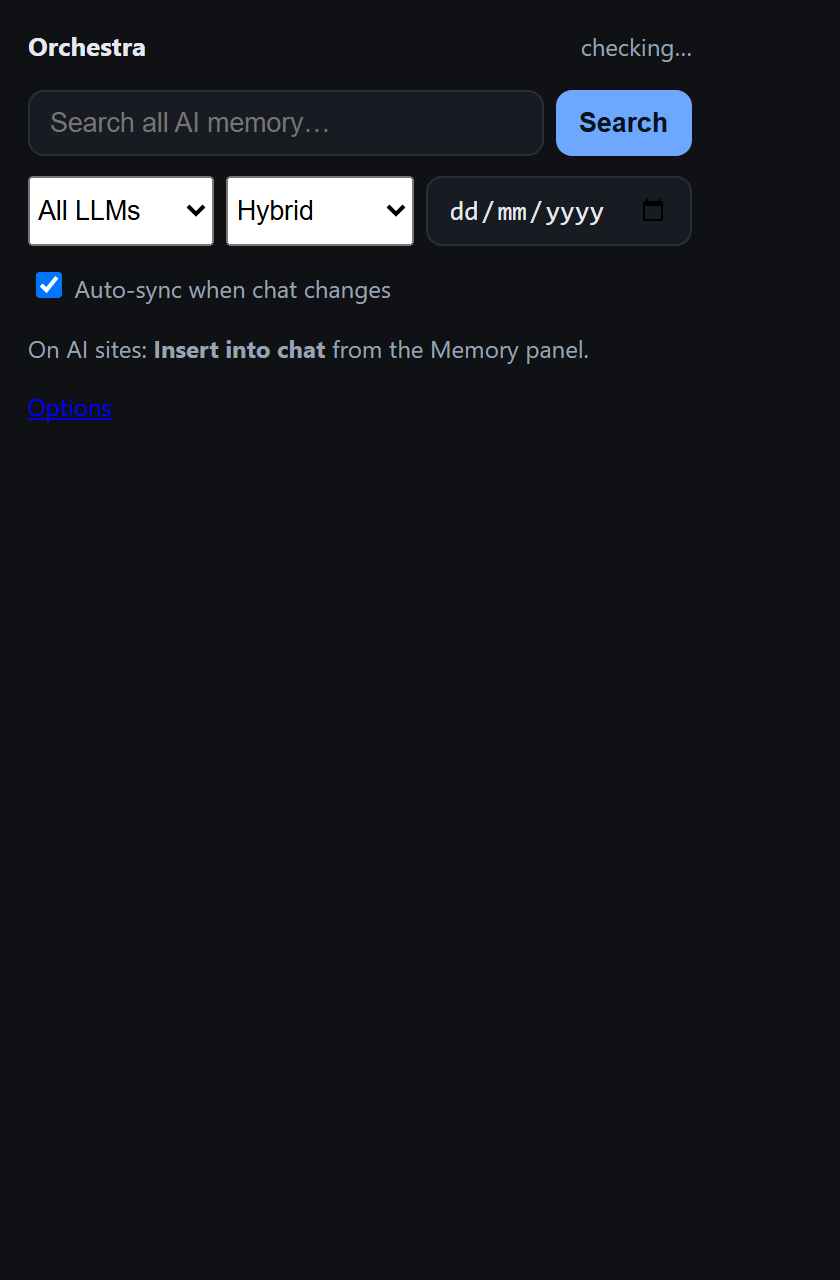
Keywords + semantic hybrid search. Filter by AI source, date, or chats-only (hide synced code files).
4
Reuse
Insert selected or Full thread into ChatGPT, Claude, or Cursor. Pipeline and consensus on past work.
Works everywhere
One database. Three ways to connect.
Web chats and desktop coding tools don't share memory by default. Orchestra bridges
them — same search, same recall, whether you're in a browser tab or inside Cursor.
Browser
Chromium extension
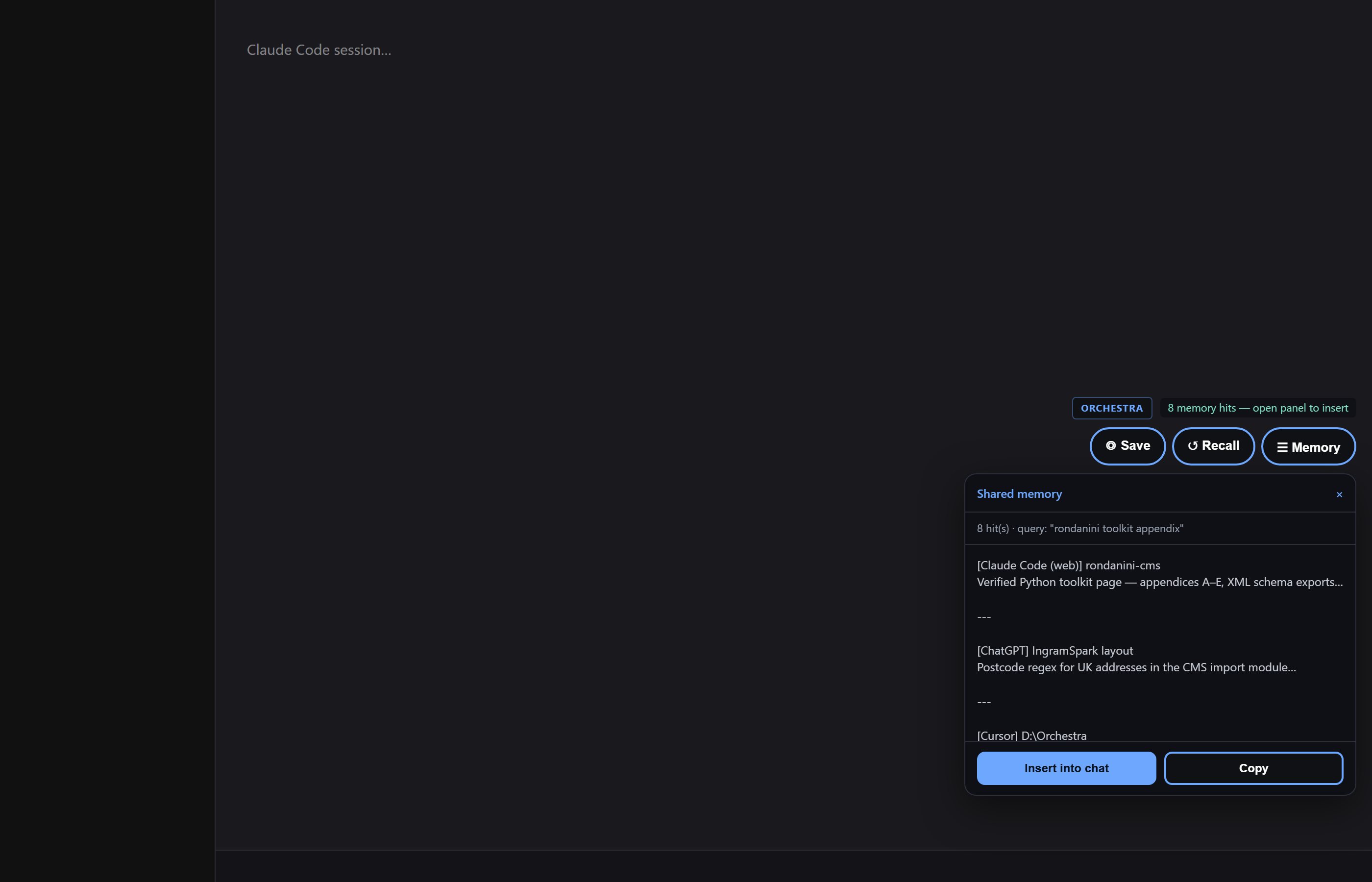
Auto-sync web chats, Recall related memory, and Insert selected or Full thread from the Memory panel.
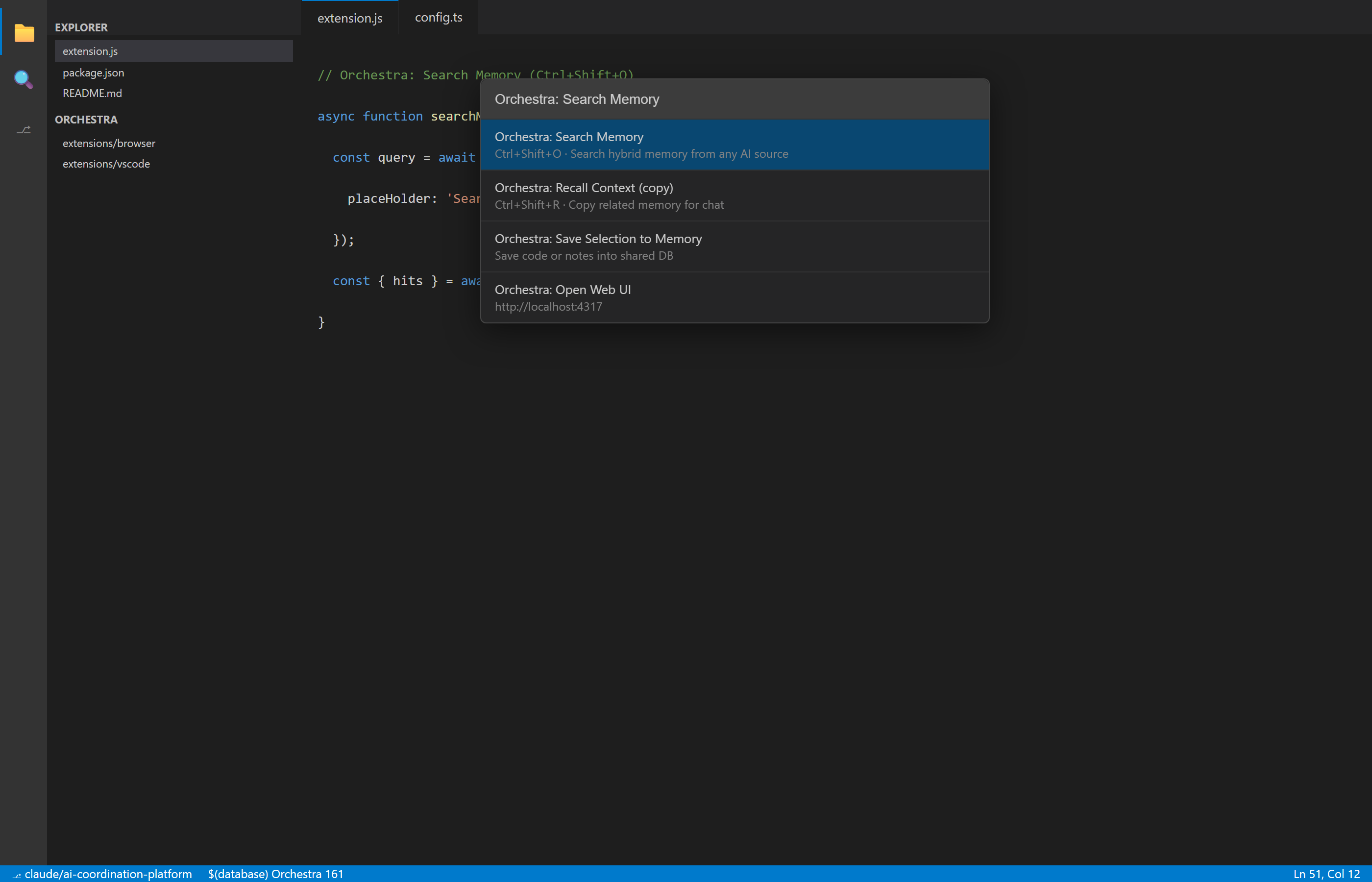
Search memory, recall context, save selections — while you code.
Cursor auto-save — Agent turns ingested via global hook
Recall copies context (Ctrl+Shift+R)
Hybrid search (Ctrl+Shift+O) · per-source counts on status bar
Works in Cursor, VS Code, Windsurf today
More IDEs in testing — added free for existing customers
Agents
Built-in agent memory
Included in Orchestra — Claude Desktop, Cowork, Claude Code, and Cursor Agent use the same MCP tools. No separate Claude SKU.
Memory-first by default — agents call memory_context / memory_search before web search; you don't have to ask
Claude Desktop Chat & Cowork — orchestra-memory extension
Claude Code · Cursor Agent + MCP
memory_stats · memory_search · memory_context
Setup: install-all-surfaces.ps1 in your download
Same memory as browser + IDE — one purchase
More IDEs on the way.
We are actively testing additional editors and agent hosts (JetBrains, Zed, and more).
New integrations ship as free upgrades — no extra cost for customers who already bought Orchestra or Berta Seal.
All three surfaces write to the same Orchestra memory
Orchestra ships with a browser add-on, an editor add-on, and agent memory.
All three write to the same place — pick the surface you are on.
Browser add-on
Chrome or Edge — save chats and recall memory on the web.
ChatGPTCodexClaudeClaude CodeClaude DesignGeminiNotebookLMPerplexityGrokCopilotDeepSeekMistralBoltLovableFigmavscode.devgithub.dev40+ more sites
Editor add-on
Search memory, recall context, and save notes while you code.
CursorVS CodeWindsurfMore editors coming
Agent memory
Included in every Orchestra license — Claude Desktop, Cowork, Claude Code, Cursor Agent.
Claude DesktopClaude CoworkClaude CodeCursor AgentMCP · no extra fee
Claude Desktop, Cowork, Claude Code, Cursor, browser, and IDE are all included in Orchestra Local and Cloud — no add-on for Anthropic integration.
Pair with Berta Seal for Jira tickets and delivery evidence (separate product).
Claude Desktop & Cowork — included in Orchestra.
Install extensions/claude-desktop/claude-desktop.mcpb from your download (same package as browser + IDE).
Pick your Orchestra install folder — not a URL, not a separate Anthropic connector.
Guide: docs/MEMORY-SURFACES-SETUP.md
NotebookLM ↔ Orchestra — two directions, same memory.
NotebookLM → Orchestra — browser add-on on notebooklm.google.com: click ◎ Save (or auto-sync). Chats land in Orchestra tagged NotebookLM.
Orchestra → NotebookLM — export your full memory as Markdown (Setup tab or ↓ Export on NotebookLM) and upload as a source — ask across all your AI history in one notebook.
Smart search
Find what you meant, not just what you typed
Orchestra combines classic keyword search with meaning-based search. Ask
“that postcode regex from last month” even if you never used the word
“regex.”
When you search, Orchestra blends two approaches:
Keywords
Exact matches
Meaning
Similar ideas
Combined
Best of both
Click to go back
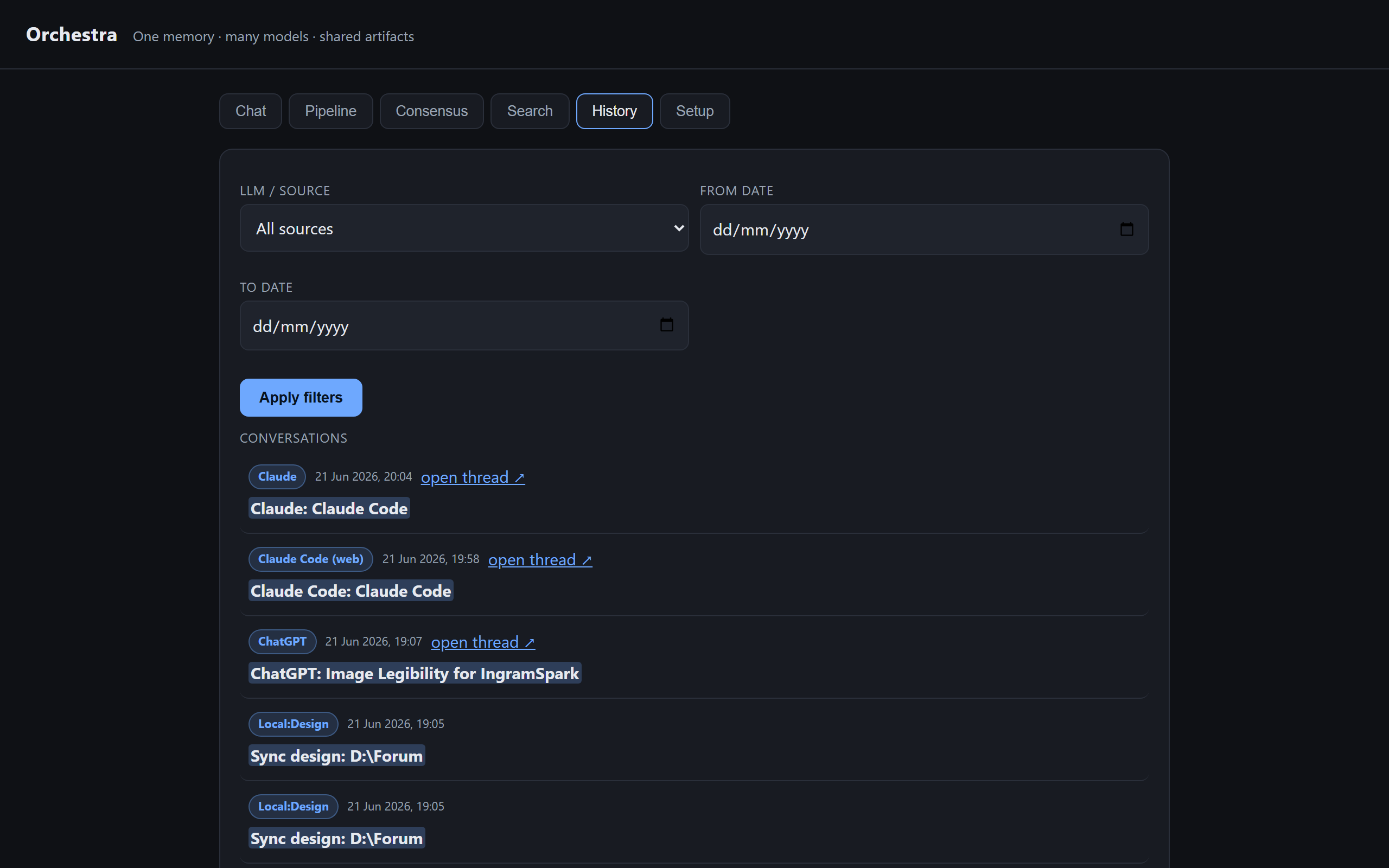
Every search result shows which AI it came from and when. One click opens the original ChatGPT or Claude thread in your browser.
Team of AIs
When one model isn't enough
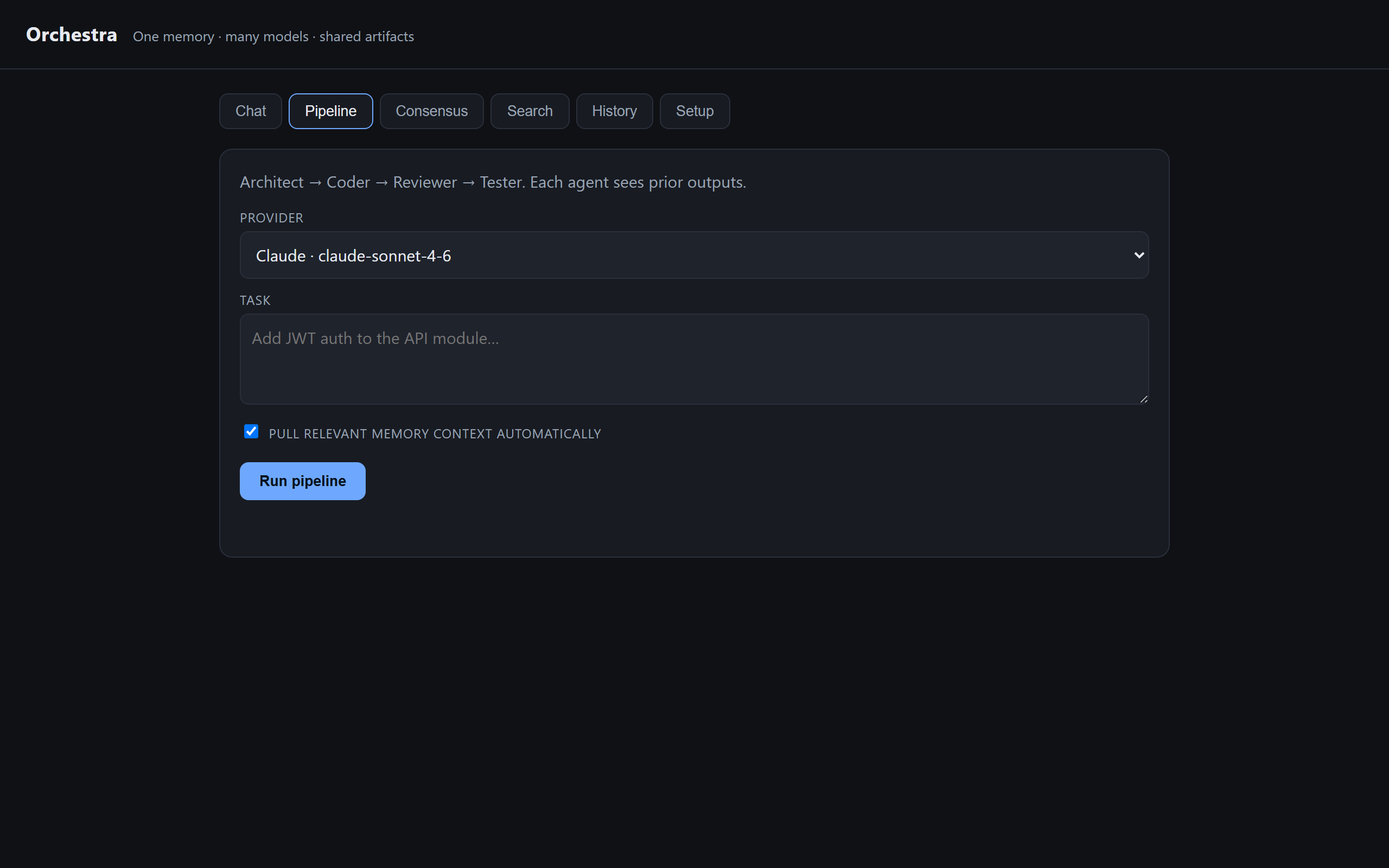
Orchestra can ask several models the same question, run a four-agent delivery pipeline,
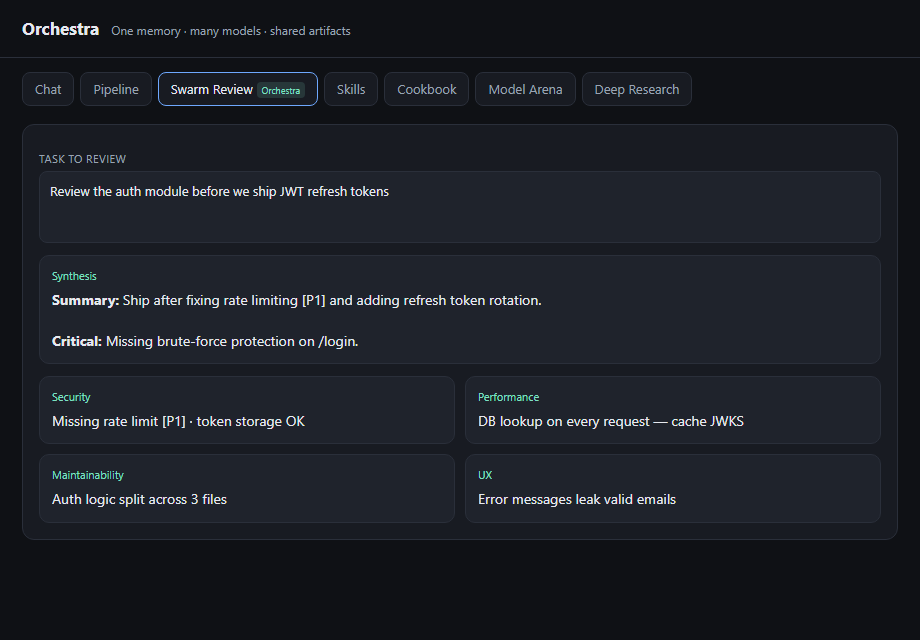
or launch a Swarm Review — parallel Security, Performance, Maintainability, and UX specialists with one synthesized report.
Four specialists audit the same task in parallel — security, performance, maintainability, UX — then Orchestra synthesizes one prioritized fix list.
Skills & playbooks
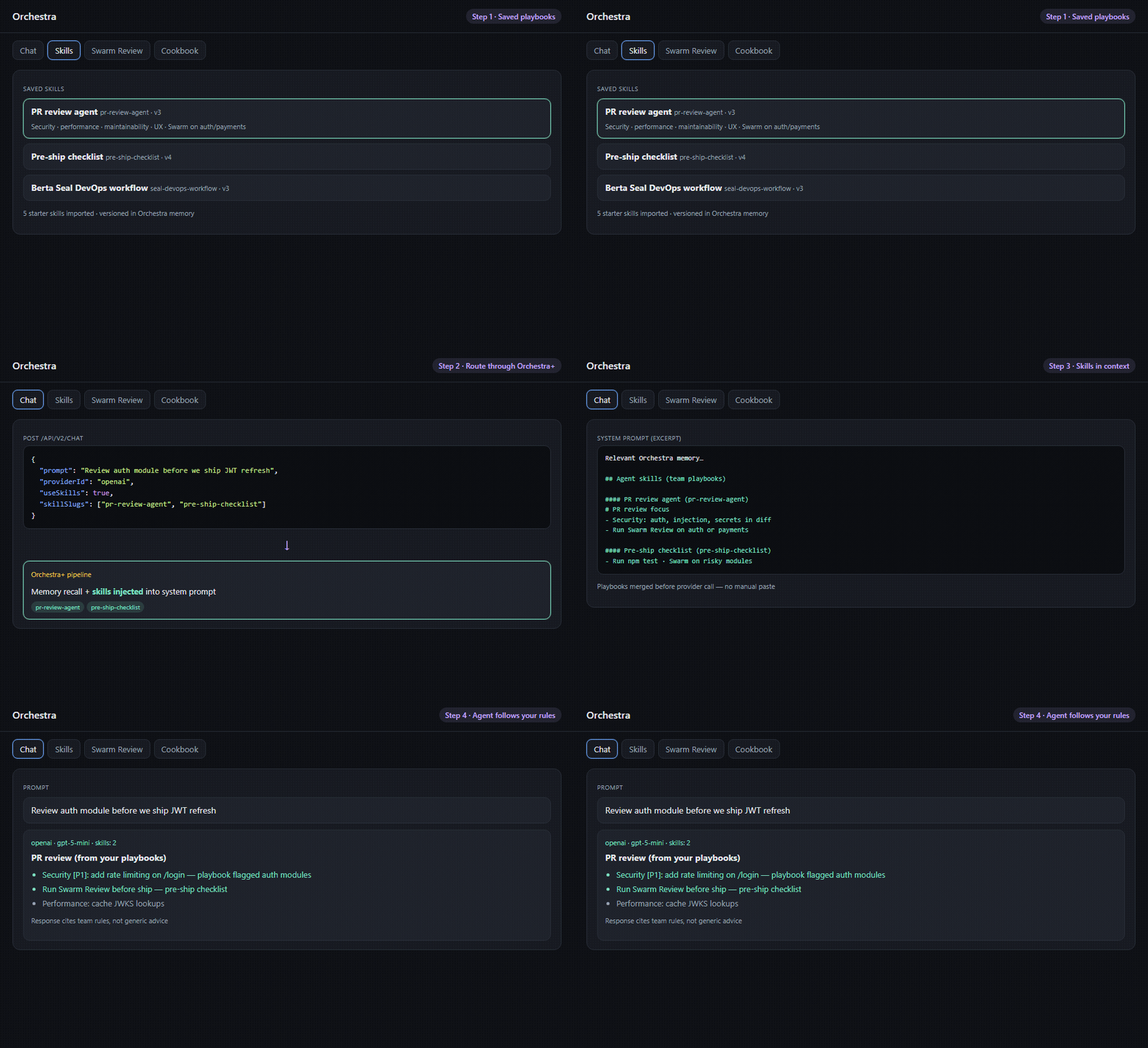
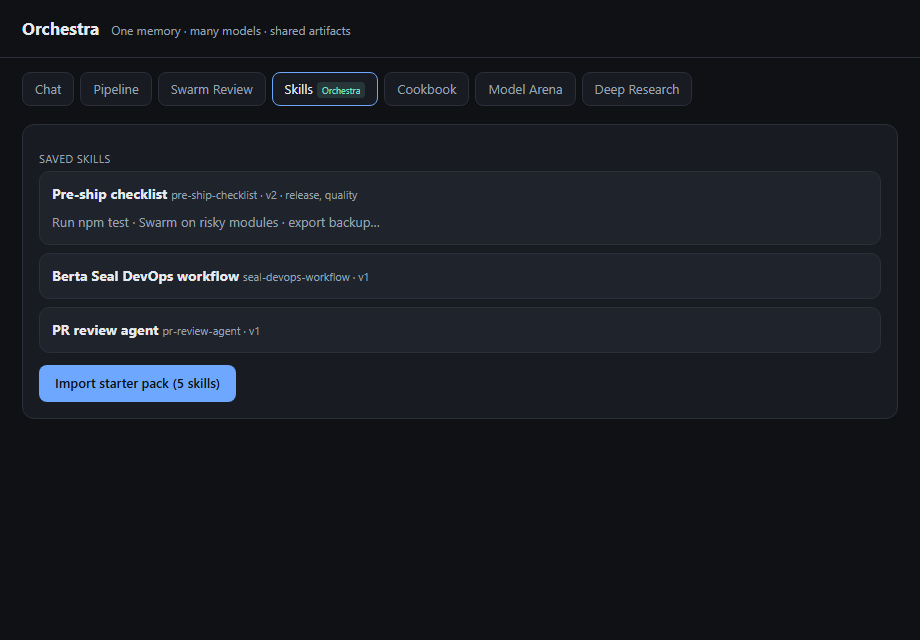
Save how your team works — checklists, tone, workflows. Agents inject skills automatically in pipeline, swarm, and /api/v2/chat.
Skills → /api/v2/chat → agent follows your rules
Deep Research
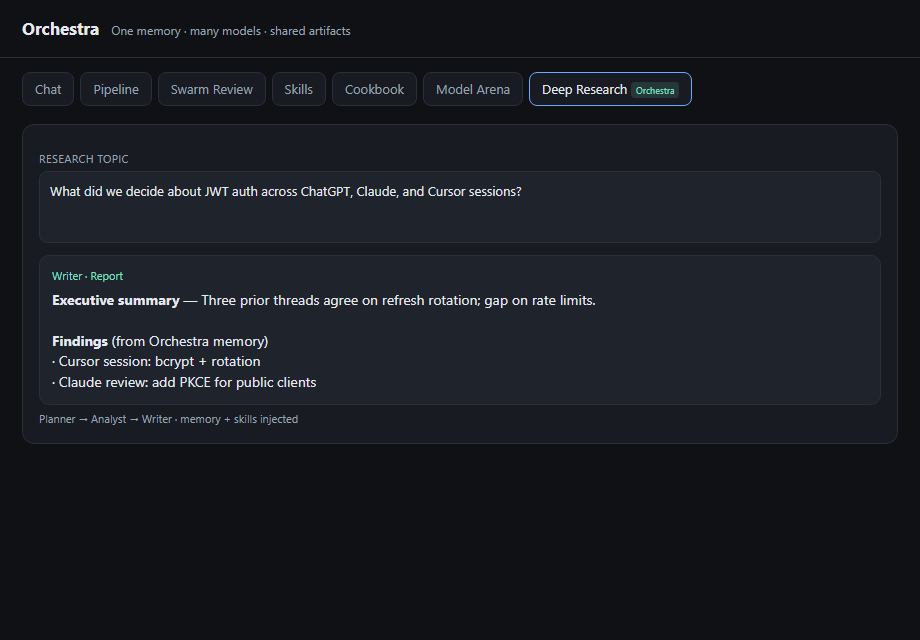
Three-step research from your memory — plan questions, analyze evidence, write a shareable report. Gaps flagged explicitly.
Consensus mode
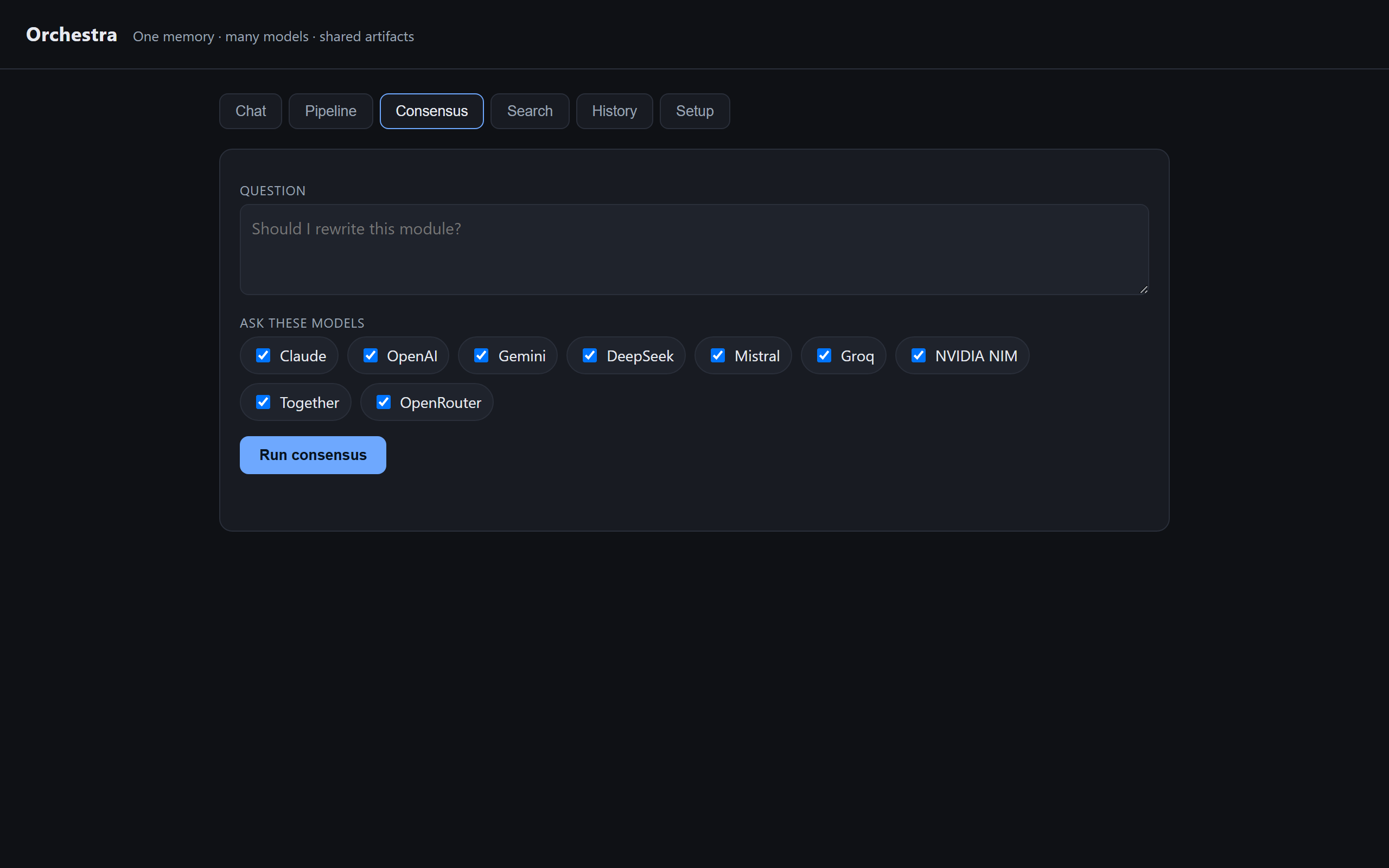
Same question to Claude, GPT, Gemini, and others. Get an agreement score plus one synthesized answer.
Shared context
Pipeline, swarm, and chat modes pull relevant memory automatically — no manual paste.
Product tiers
Orchestra vs Orchestra+
Every license includes the full memory platform and agent workflows. Orchestra+ is the optional control plane for routing, benchmarks, and a reuse dashboard.
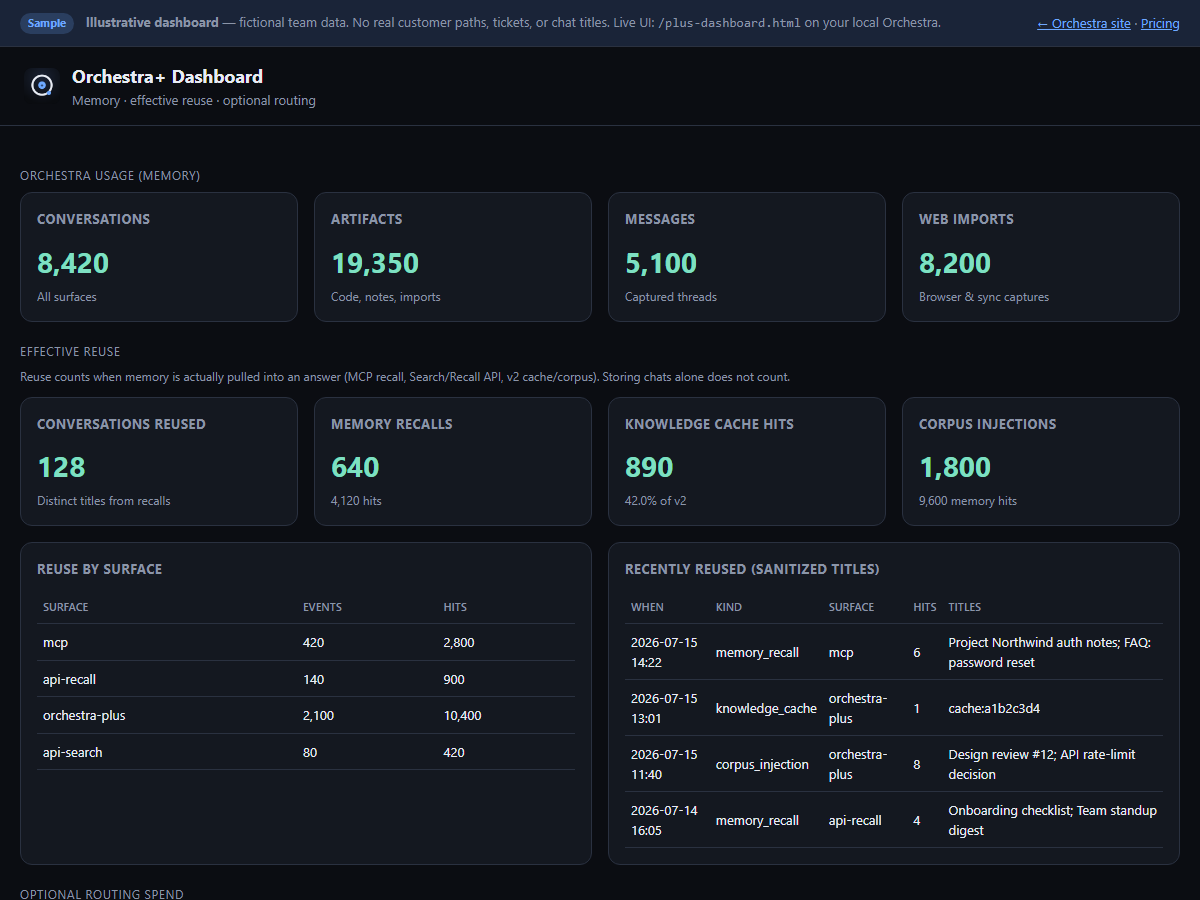
Orchestra+ is an optional layer on top of Orchestra memory — it does not include Claude or Cowork
(those ship with the normal package). The live dashboard shows effective reuse
(cache hits, MCP/API recalls, corpus injection) and optional BYOK spend when you route through
/api/v2/chat. Storing chats alone does not invent USD savings.
Effective reuse (measured)
See conversations actually pulled back into answers — MCP recall, Search/Recall API, and v2 knowledge-cache / corpus injection — on /plus-dashboard.html.
Knowledge cache
Repeat questions on /api/v2/chat can return from plus_knowledge before any provider call. That is optional routing — not the same as browser/MCP memory storage.
Model Arena
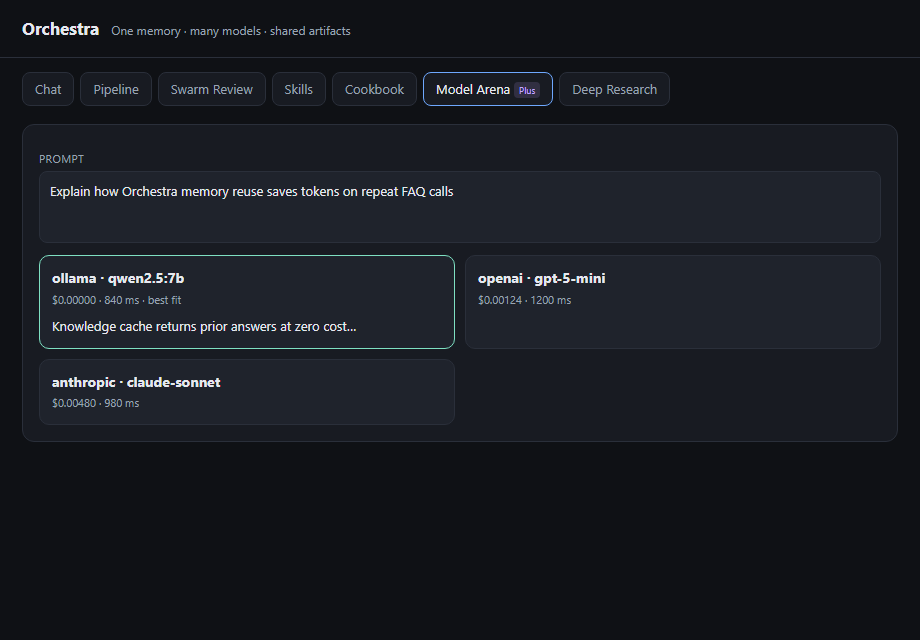
Same prompt to multiple models — side-by-side answers with cost and latency on every response. Pick the winner, not the hype.
Cookbook — local models
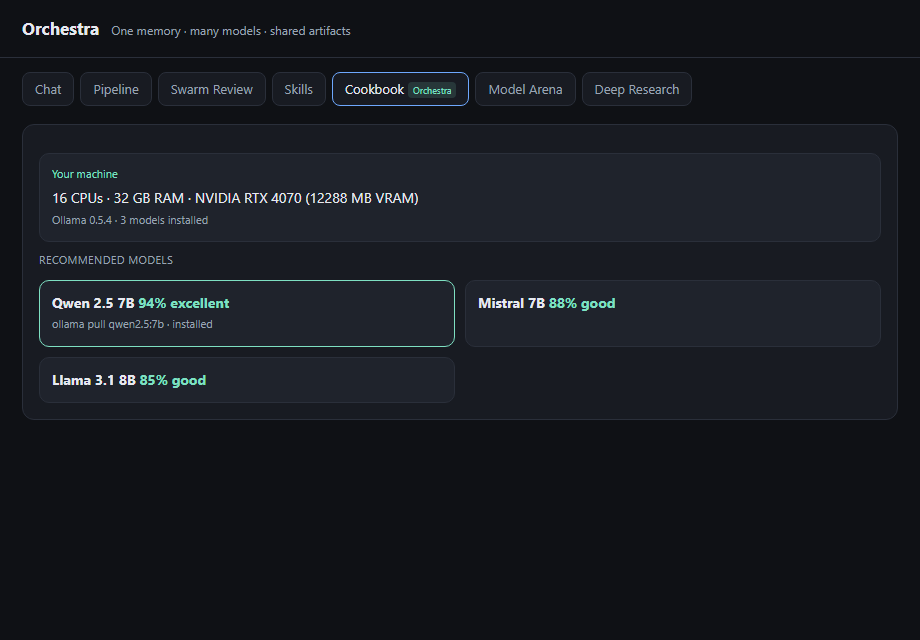
Scan your GPU and RAM. Get Ollama model picks that fit your hardware. One command to pull and run with local_first routing.
External MCP tools
Connect HTTP MCP servers you already run — Orchestra+ calls their tools while memory stays in Orchestra. Configure via ORCHESTRA_PLUS_MCP_SERVERS.
Orchestra+ bundled at launch (until 31 July 2026) with Local and Cloud — grandfathered on your license.
Claude Desktop, Cowork, and all surfaces stay in the base Orchestra package regardless of Plus.
Standalone Plus upgrade for early Local owners: $39 (standard $79).
See plans ↓
· View sample dashboard →
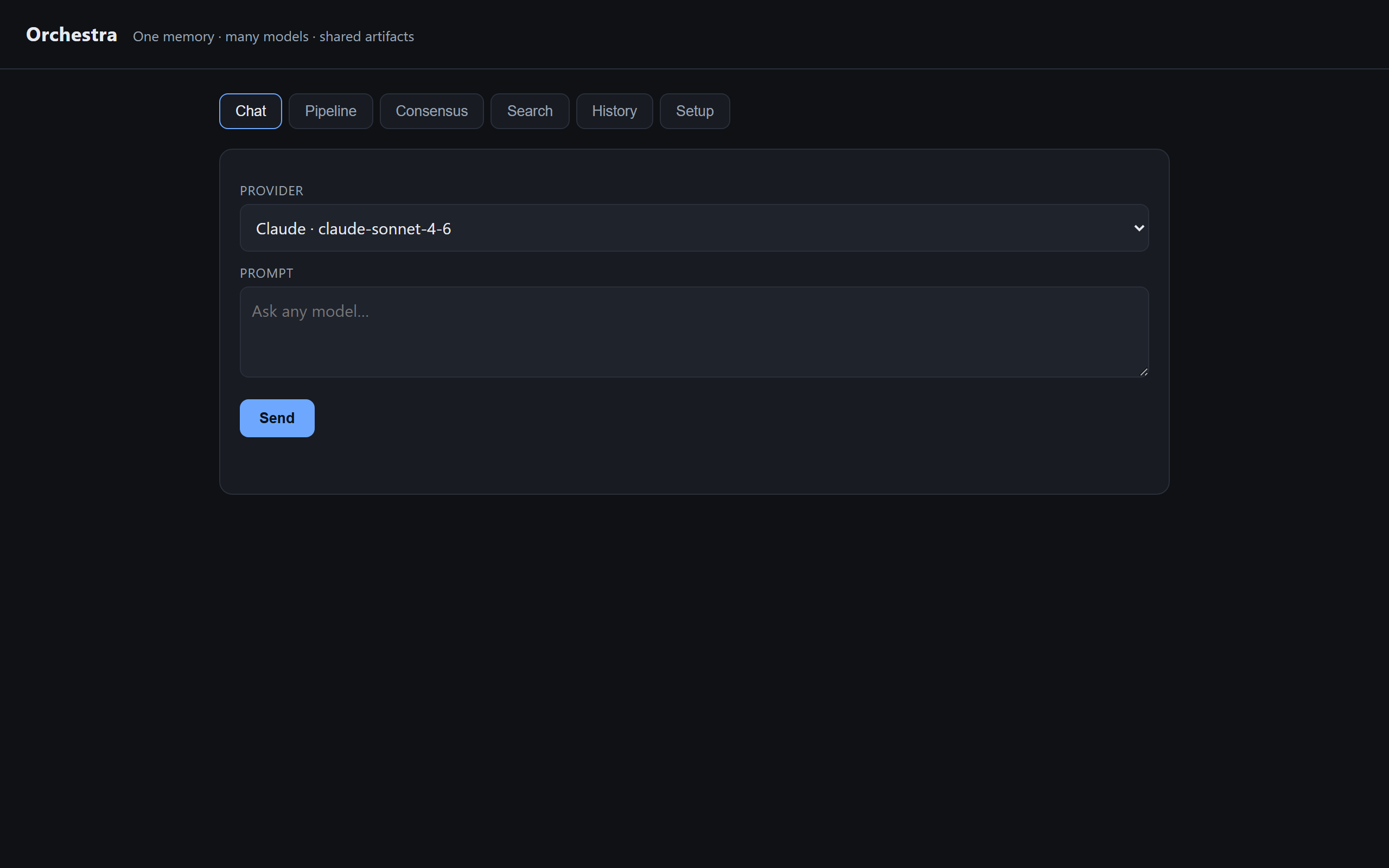
The desktop app (v0.7) wraps the same web UI with a memory sidebar on Chat.
The browser extension captures chats and injects full threads into composers.
Cursor and VS Code use the IDE extension plus MCP for agents.
Web app & desktop shell
Chat with memory sidebar, multi-agent pipeline, consensus, hybrid search, history, and Setup.
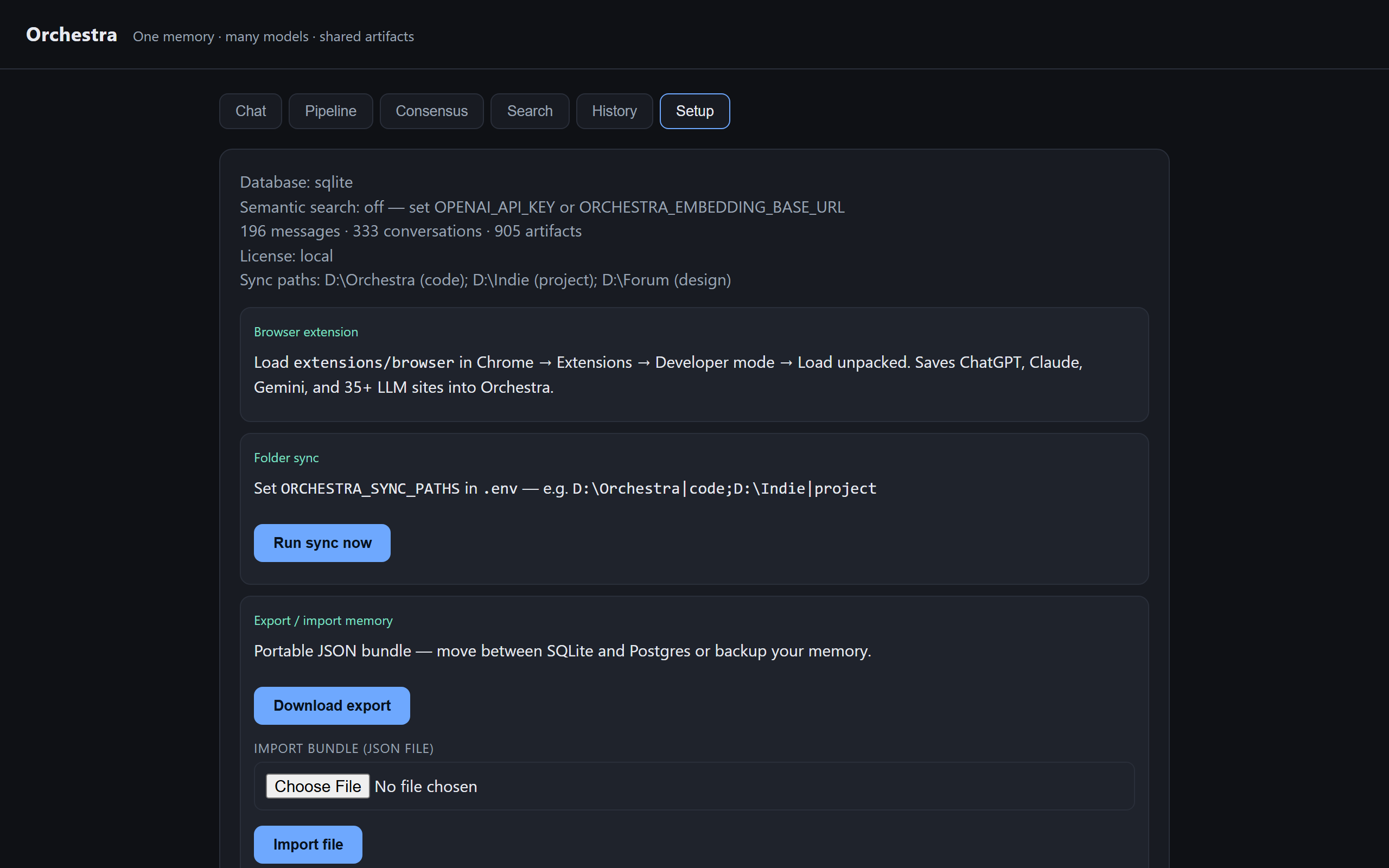
SearchKeywords + semantic · filter by source and datePipelineArchitect → Coder → Reviewer → TesterSetupExtension path, folder sync, export/import bundle
Search memory, recall context, save selections — same database as the browser bridge.
Command paletteSearch (Ctrl+Shift+O) · Recall (Ctrl+Shift+R / Ctrl+Alt+R) · Save from clipboard
Everything included
Built for people who use more than one AI
A coordination platform — not another chat window.
⚡
Orchestra+
Universal LLM OS — /api/v2/chat, provider routing & fallback, cost dashboard, knowledge cache, governance audit. Same memory DB as browser + IDE + MCP.
🌐
Browser extension
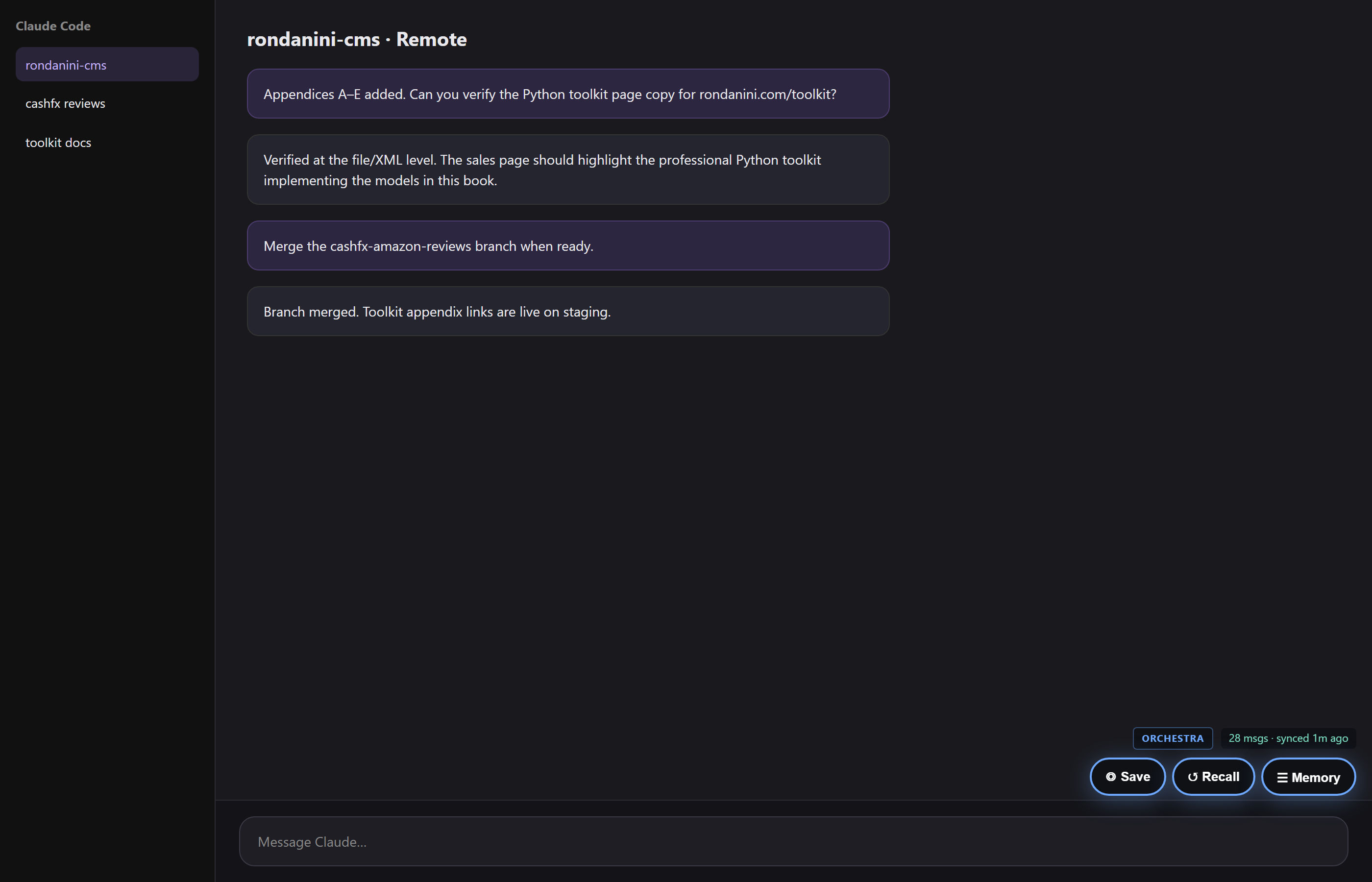
Chats, Codex, v0, Claude Code — ◎ Save, ↺ Recall, ☰ Memory with Insert selected, Full thread, and Chats only search. Tier A sites get tailored extractors.
⌨️
IDE extension
Cursor, VS Code, Windsurf — search, recall to clipboard, save selection or pasted Agent chat. Same DB as browser. Free IDE upgrades as we ship JetBrains, Zed, and more.
🔌
MCP agents
Included in Orchestra: Claude Desktop, Cowork, Claude Code, Cursor — memory_context, save, search. Orchestra+ adds v2 routing API only.
🔍
Hybrid search
Keywords + meaning-based search. Filter by Cursor, Claude Code, Codex, or any web source.
📁
Folder sync
Index local code and design docs on startup — project files become searchable memory.
🗄️
Your database
SQLite locally or Postgres you control. One DB for browser, IDE, and MCP.
v0.8.0 — one installer bundles local server, web UI, browser + IDE extensions, and Berta Seal. First launch opens the Setup wizard (skills import + Cookbook) automatically.
↩️
Inject full context
Not snippets — load the full saved message or entire thread before insert. Works in Claude, ChatGPT, Claude Code web, and via clipboard in Cursor.
Your data
Two ways to keep control
Same product — you pick where the memory file lives.
On your laptop
A single file on your machine. Nothing leaves your PC unless you export or sync folders you choose. Perfect for solo work and air-gapped setups.
Your browser & Cursor
↓ saved locally ↓
📁 orchestra.db on your disk
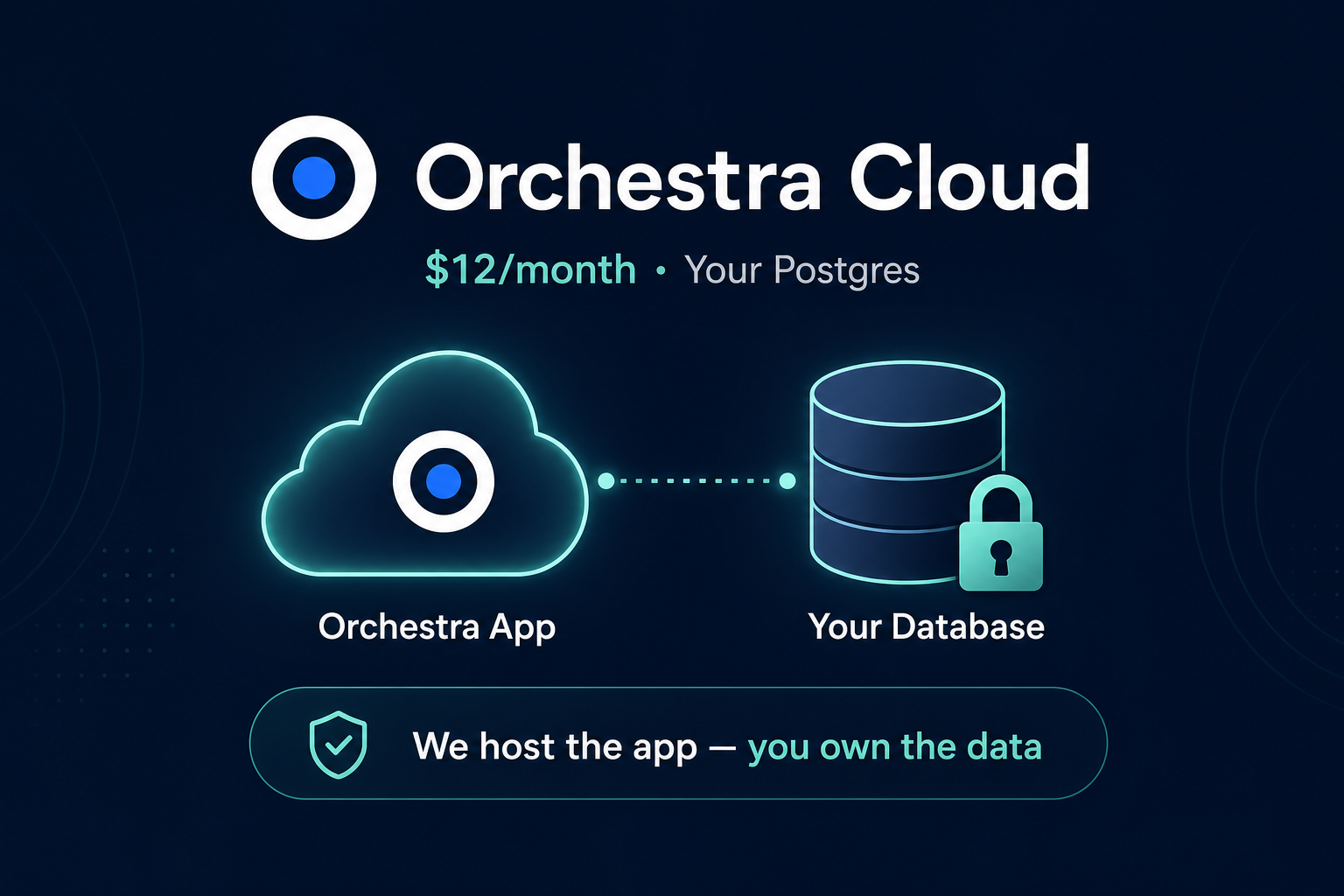
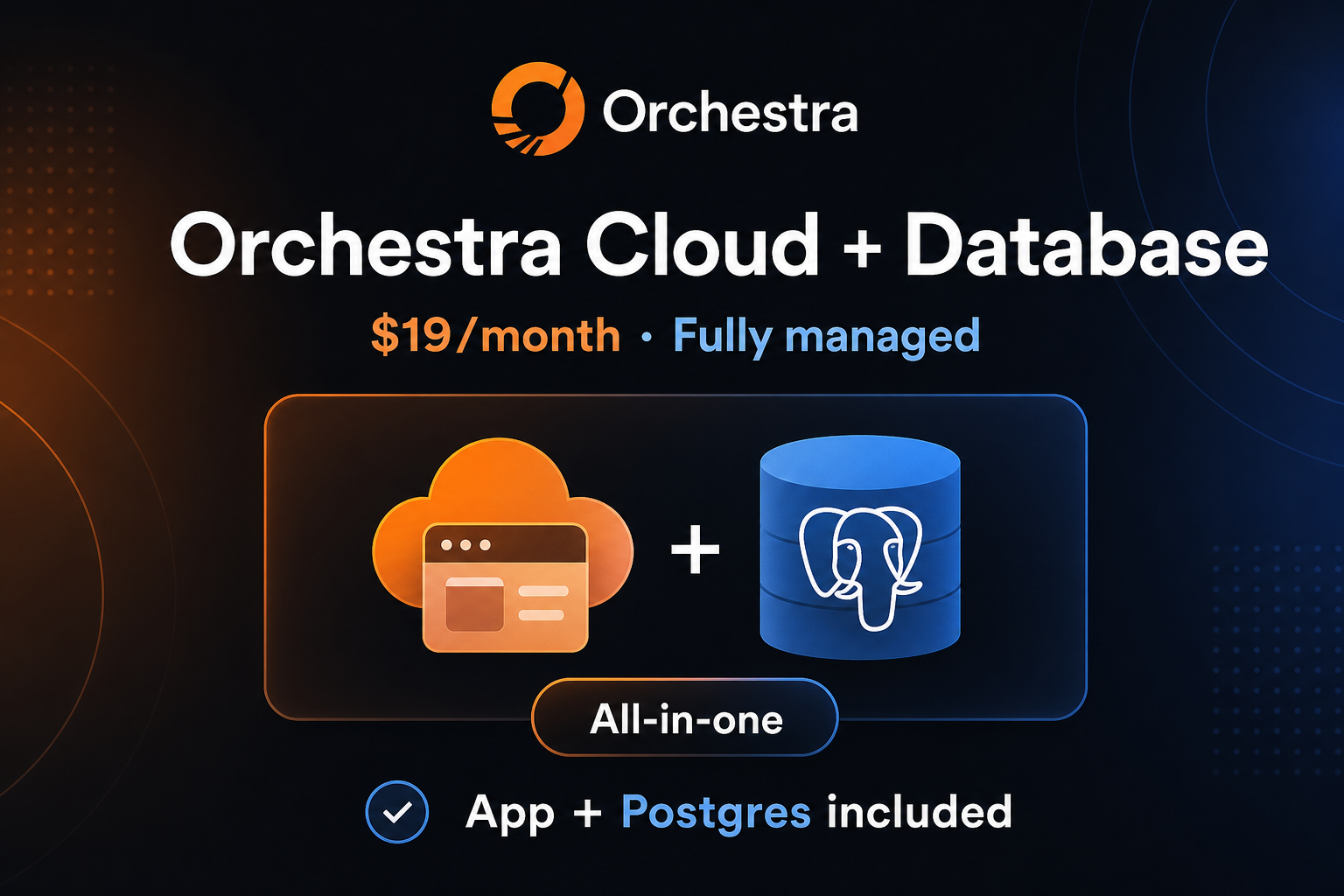
In the cloud (your database)
Orchestra runs on a small server. Your chats live in Postgres you own — Neon, Supabase, or your own host. We run the app; you hold the keys.
Extension & API anywhere
↓ encrypted connection ↓
Orchestra appYour Postgres
Download
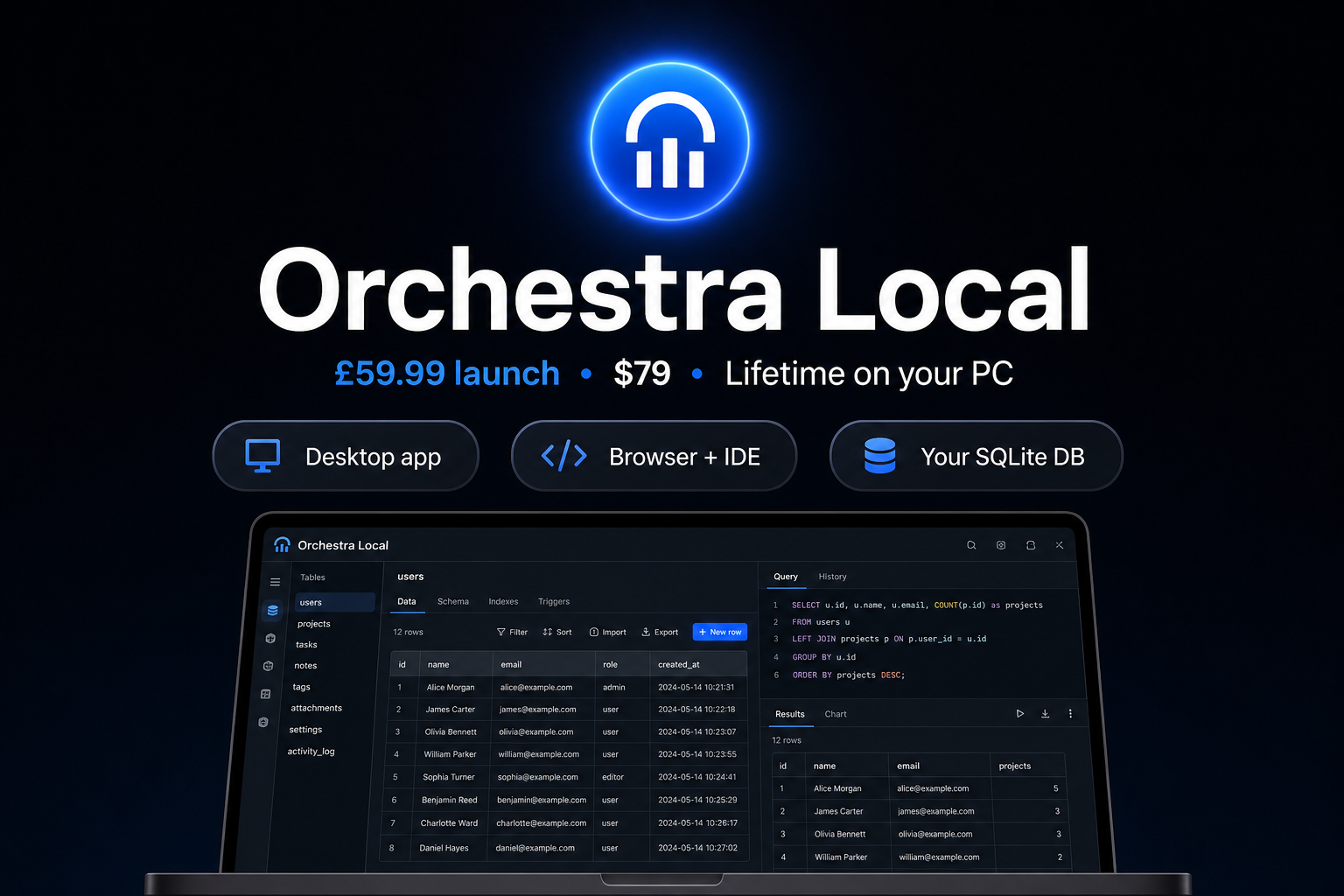
Run Orchestra on your PC
The v0.7 desktop app bundles local server, web UI (with Chat memory bar), and the browser extension folder.
Your memory stays in SQLite on your machine.
Purchase to download — the installer is delivered on your Polar order / customer portal (not GitHub; the repo is private).
Add API keys after install — same as the dev setup.
🖥️
Windows desktop — Orchestra Local
One-time · Orchestra-Setup v0.8.0 · Orchestra + Berta Seal + browser & IDE extensions
How it works: checkout on Polar → open
Customer portal
→ download Orchestra-Setup-0.8.0-x64.exe (64-bit, v0.8.0).
Includes Berta Seal (products/berta-seal) and a Berta Seal Setup shortcut with the Seal icon.
Not on GitHub — delivered on your order page only.
🌐
Browser extension
◎ Save · ↺ Recall · ☰ Memory — search, pick a hit, Insert selected or Full thread into the composer.
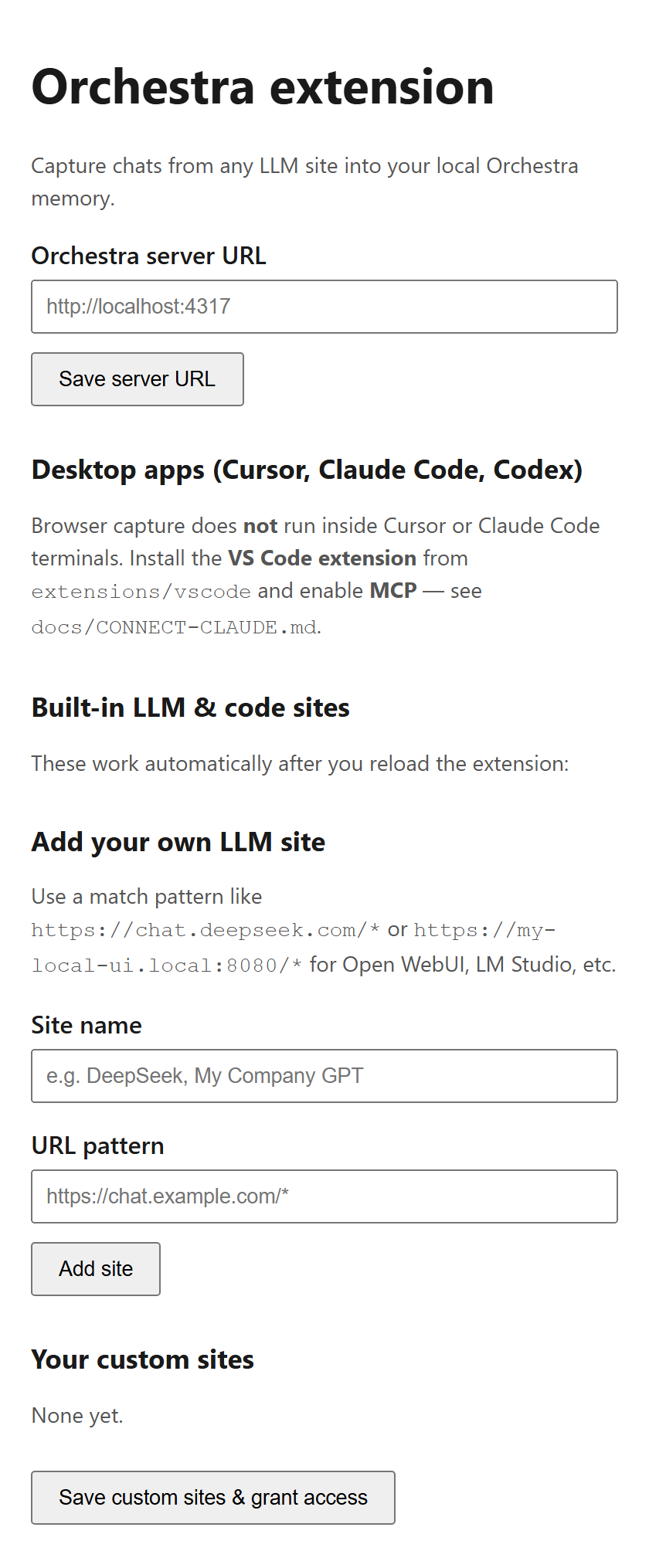
Free on the Chrome Web Store. Requires Orchestra running on your PC (localhost:4317) — install the desktop app below first.
Pay for Orchestra — not inflated inference. LLM bills go directly to the providers you
already use.
All prices in USD. Checkout on Polar is USD.
Launch until 31 July 2026; standard list price from 1 August 2026.
Launch offer — until 31 July 2026.
Purchases before the deadline keep launch pricing forever.
Standard list price from 1 August 2026:
Local $179 · Cloud $29/mo · Cloud + database $39/mo ·
Orchestra+ upgrade (standalone) $79 one-time.
See also Berta Seal and the Orchestra + Seal bundle.
Free upgrades: more IDEs and agent integrations are in testing — shipped to existing customers at no extra charge.
Launch
Local
Standard $179
$79
one-time · launch until 31 Jul 2026
Launch until 31 July 2026
SQLite database on your PC
Windows desktop app (v0.7) + browser extension scaffold
Browser + IDE extensions & MCP
Claude Desktop, Cowork & Claude Code — included
Hybrid search, pipeline, consensus
Orchestra+ at launch — v2 routing, cost dashboard, audit
* Launch pricing until 31 July 2026. Standard from 1 August 2026: Local $179; Cloud $29/mo; Cloud + database $39/mo.
See also Berta Seal — standalone or Orchestra + Seal bundle ($149 launch).
Orchestra vs. all-in-one AI workspaces
Tools like Odysseus ask you to move into one app. Orchestra sits underneath the AIs you already use — shared memory, effective reuse tracking, and optional agent DevOps.
Does the browser add-on work inside Cursor or Claude Code desktop?
Web chats use the browser add-on (Chrome or Edge).
Desktop coding uses the editor add-on (Cursor, VS Code, Windsurf) or
agent memory (Claude Code, Claude Desktop).
All three share the same Orchestra memory.
Is Claude Desktop or Cowork a separate product?
No. Claude Desktop (Chat and Cowork), Claude Code, Cursor Agent, the browser extension, and the IDE extension
are all included in the normal Orchestra package — Local, Cloud, and the Orchestra + Seal bundle.
Install the orchestra-memory extension from your download; no Anthropic marketplace connector, no extra fee.
Orchestra+ is only the optional v2 routing and cost layer — not Claude connectivity.
What is Orchestra+ and what does it cost?
Orchestra+ is the LLM routing layer: /api/v2/chat, provider fallback,
cost dashboard, audit replay, and knowledge cache. It does not unlock Claude or Cowork — those are in base Orchestra.
Plus is bundled free with Local and Cloud until 31 July 2026 (grandfathered).
Early Local owners can add Plus for $39 one-time (standard $79 from 1 August 2026).
How do I connect Claude Desktop, Cursor, and web LLMs?
One guide covers every surface: docs/MEMORY-SURFACES-SETUP.md.
Windows one-command install: scripts/install-all-surfaces.ps1 (Cursor hook, Claude orchestra-memory extension, browser).
Claude Desktop uses a local .mcpb — pick your Orchestra folder, not a URL.
Browser: install from the
Chrome Web Store
(ChatGPT, DeepSeek, Gemini, and 40+ sites). Developers: load unpacked extensions/browser.
How do I save Cursor Agent chat to Orchestra?
Run scripts/install-cursor-global.ps1 — a global hook auto-ingests each Agent turn to memory (no clipboard).
Manual fallback: copy chat → Ctrl+Shift+P → Orchestra: Save Chat from Clipboard.
Browser chats use the ◎ Save bridge on the page.
How do I install the extensions?
After installing Orchestra Local: add the browser extension from the
Chrome Web Store
(or load unpacked extensions/browser when developing the extension);
install the editor add-on from your IDE’s extension menu (extensions/vscode).
The setup guide in the app walks through each step. Reload the browser extension after updates (F5 on AI tabs).
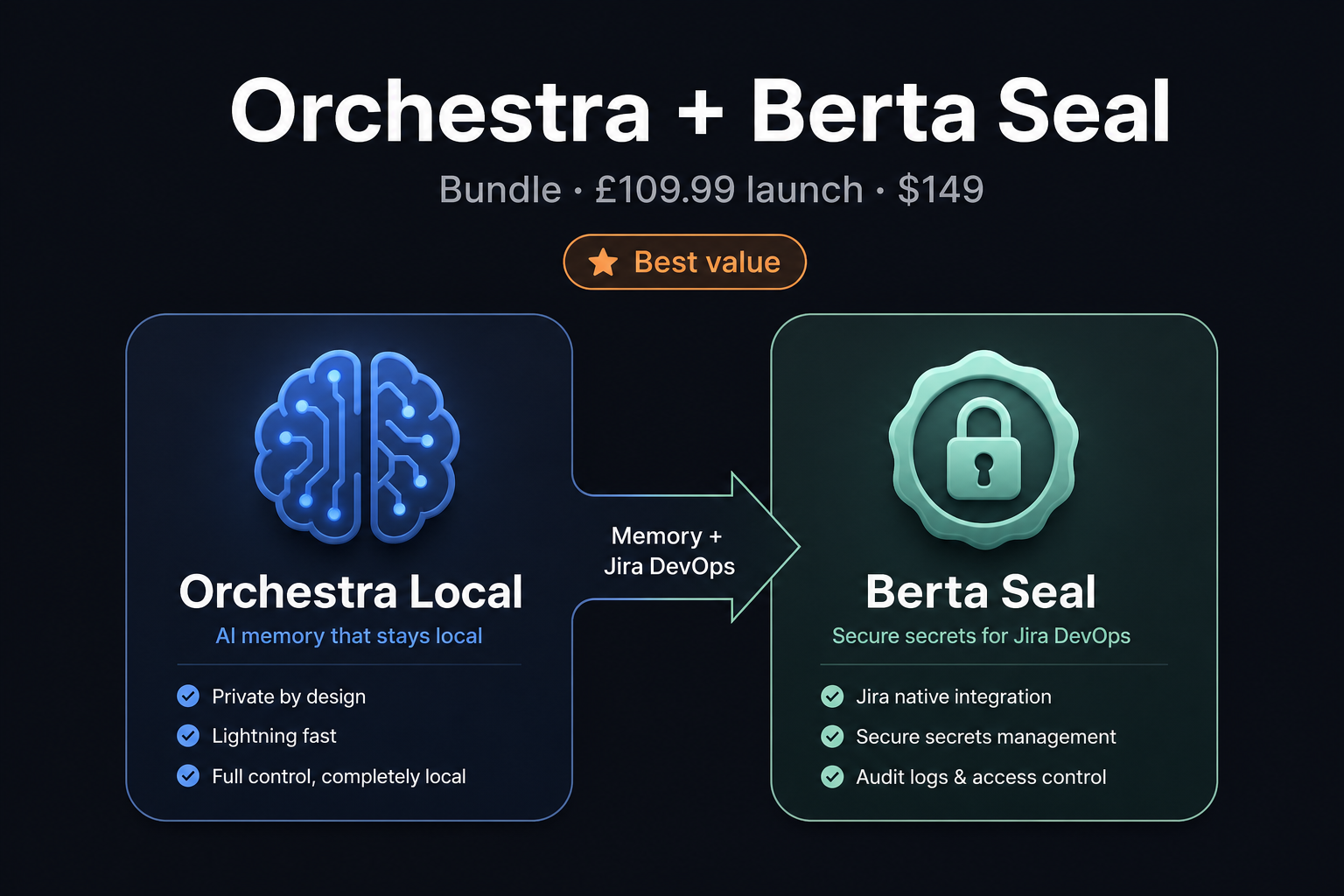
Orchestra and Berta Seal — one product or two?
Separate products with an optional bundle.
Orchestra ($79 launch) is memory + Orchestra+ across all your AIs.
Berta Seal ($79/yr launch) adds Jira open/done and test evidence for agents.
The bundle ($149 launch) includes Orchestra Local + Seal Solo in one checkout — best if you want memory and accountable delivery together.
Does recall insert snippets or full messages?
Full messages. In the browser, pick a hit in the ☰ Memory panel — Orchestra loads the complete saved text (character count shown), then
Insert selected or Full thread into the composer. The popup’s Copy snippet also fetches full message text, not FTS snippets.
Is this replacing ChatGPT or Claude?
No. You keep using them. Orchestra remembers what they said so you — and any other model — can use it later.
Where does my data live?
On your computer by default (a local file). Cloud plans let you point to Postgres you control — Neon, Supabase, Railway, or your own server.
Do you see my chats on the cloud plan?
On the BYO-database plan, memory stays in your Postgres. We only run the app layer; your connection string is in your environment.
What about API costs?
You pay OpenAI, Anthropic, and others directly. Orchestra doesn't resell tokens or add a markup.
Will new IDE support cost extra?
No. We are testing more editors and agent integrations now. When they ship, existing customers get them free — included in your license, no upgrade fee.
Is launch pricing permanent?
No — launch pricing until 31 July 2026 is $79 (Local), $15/mo (Cloud), and $24/mo (Cloud + database). Standard list price from 1 August 2026: $179 / $29/mo / $39/mo. Buy before the deadline to lock in launch pricing.
Can I move from laptop to cloud?
Yes. Export a JSON bundle from Setup (or orchestra export), deploy Orchestra with Postgres, and import the bundle. Conversation IDs, messages, and artifacts are preserved — same memory, new home.
Agent DevOps
Add Berta Seal
Orchestra remembers what shipped. Berta Seal makes agents
open and close Jira tickets with test evidence on every delivery —
seal open → work → seal done, written to the same memory.
Buy separately or as a bundle: launch $149 for Orchestra Local + Seal Solo (standard $279 from 1 Aug 2026).